How to Use Adobe Firefly for Stunning Handmade Jewelry Photos Quickly
Imagine creating eye-catching jewelry photos without a professional photographer or expensive equipment. Adobe Firefly, a powerful AI-driven creative tool, is revolutionizing how jewelry sellers and artisans capture and enhance their product images. According to recent industry insights, a majority of e-commerce jewelry brands are turning to AI-powered photo editors to streamline their workflows, reduce costs, and boost sales. This technology not only slashes editing time—up to 80% in some cases—but also helps achieve professional-grade results with minimal effort, making it accessible even for beginners. In this article, we’ll explore how Adobe Firefly simplifies jewelry photography through innovative tools and techniques, from generating striking backgrounds to enhancing product details. We’ll share practical, actionable tips and real-world workflows that get stunning results fast—so you can showcase your handmade creations with confidence and ease. Ready to elevate your jewelry images without the frustration of traditional editing? Keep reading to discover how Firefly can become your new secret weapon for crafting captivating jewelry photos quickly and effortlessly.
What Adobe Firefly Reveals About Jewelry Photography

Adobe Firefly’s latest advancements highlight how AI-generated images are transforming jewelry photography for artisans and small brands. By leveraging Firefly’s cutting-edge AI, creators can generate high-quality, realistic visuals from simple prompts, significantly reducing the time and complexity traditionally associated with professional photoshoots. This shift allows artisans to produce stunning jewelry images for both web and print with remarkable speed and consistency.
Firefly’s features excel in producing realistic lighting, reflections, and backgrounds tailored specifically to jewelry pieces. For example, an artisan can input a prompt describing a pendant with “soft ambient light, subtle reflections, and a neutral background,” and Firefly will generate an image that captures these details. This capability saves hours of editing, retouching, and staging, enabling a faster turnaround for product listings or social media campaigns.
Recent industry insights reveal that artisans using Firefly have reported up to a 50% increase in image production speed while enhancing visual appeal. Such efficiencies are crucial in a competitive online market, where eye-catching, professional images directly influence customer engagement. Additionally, Firefly’s outputs can be seamlessly exported and integrated into popular platforms like Etsy and Shopify, streamlining workflow from ideation to publication.
Practical Examples and Integration Tips
For example, a handmade jewelry shop can generate cohesive product images for multiple pieces using Firefly prompts, maintaining style consistency effortlessly. These images can then be directly incorporated into product listings, social media posts, or branding materials, elevating overall presentation. The ability to swiftly produce diverse visuals also allows for rapid A/B testing of different styles or marketing campaigns.
By understanding Firefly’s capabilities, artisans can harness AI not just as a creative tool but as a practical solution that enhances visual storytelling, accelerates production, and keeps their branding cutting-edge in a digital-first marketplace.
Step-by-Step: Creating Jewelry Product Photos with Adobe Firefly
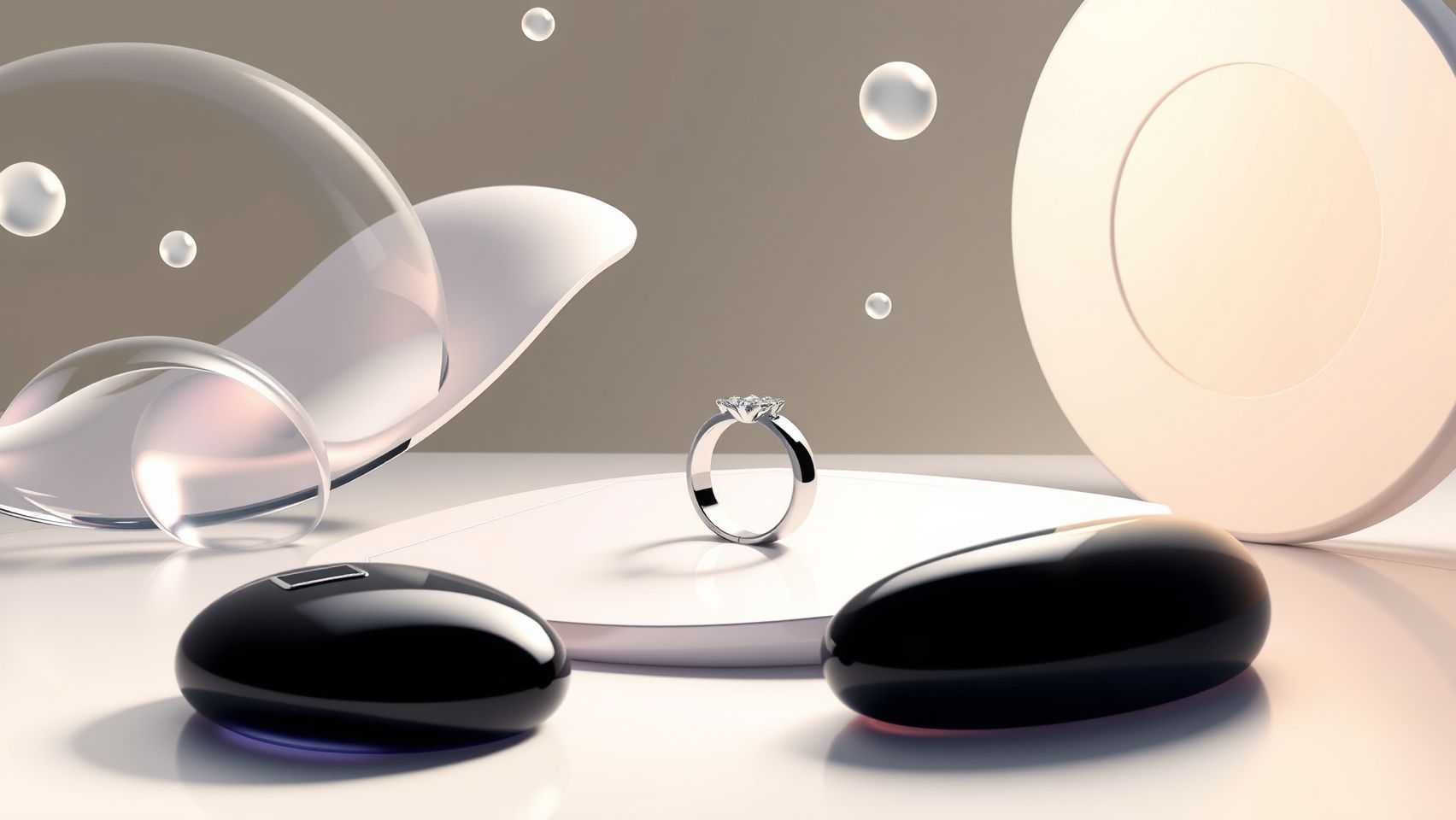
Leveraging Adobe Firefly for handmade jewelry photography allows artisans to produce stunning visuals quickly and efficiently. This tool harnesses AI-generated imagery, reducing the need for time-consuming traditional photoshoots by up to 80%, according to recent industry insights. Whether you’re starting with a fresh design or refining existing images, mastering Firefly can elevate your product presentation effortlessly.
In this guide, we will walk through setting up Adobe Firefly, crafting effective prompts, and refining images specifically for jewelry. Including practical workflows, troubleshooting strategies, and tips for achieving professional-quality results, this tutorial is designed to help artisans and small business owners enhance their marketing visuals with minimal hassle.
Getting Started: Setting Up Adobe Firefly
First, sign up for Adobe Firefly beta or subscribe through an Adobe Creative Cloud plan—basic access costs around $20 per month. After registration, access Firefly via the Adobe platform or integrated Creative Cloud apps. Once logged in, familiarize yourself with Firefly’s interface, particularly the prompt input area where you’ll generate your jewelry images.
Ensure your workspace is optimized—use a high-resolution monitor and a reliable device with fast internet to handle the image rendering process smoothly. Before starting, review updates from Adobe to stay aware of new features or improvements that enhance jewelry-specific workflows, such as better detail control or background options.
Crafting Effective Prompts for Jewelry Photography
Prompt crafting is crucial for obtaining high-quality images that accurately showcase your jewelry. Use descriptive, keyword-rich phrases that emphasize materials, lighting, and style. For example, try a prompt like “handmade silver ring with gemstone, studio lighting, high detail, natural background”. This clearly communicates the desired aesthetic and detail level to Firefly’s AI model.
Experiment with including elements such as “macro shot,” “soft shadows,” “reflections,” or “minimalist setting” to tailor images to your branding. Adjust prompts based on initial results, gradually refining descriptions until the generated images meet your expectations.
Generating and Selecting the Best Jewelry Images
Use Firefly’s interface to create multiple variations of your prompt. Typically, you can generate 4-6 options in one session. Review these images, selecting the most representative or visually appealing for further editing. Firefly allows you to compare variations side-by-side, facilitating quick decision-making.
Incorporate feedback loops—refine prompts based on initial outputs or adjust parameters (e.g., detail level, style). Remember, generating a diverse set speeds up the process of narrowing down the ideal visuals for your jewelry pieces.
Refining Generated Images for a Professional Finish
Import your selected AI-generated images into Adobe Photoshop or Lightroom for post-processing. Basic adjustments such as cropping, color correction, and contrast enhancement can greatly improve presentation quality. Use Adobe Camera Raw plugin for swift edits, especially to tweak shadows, highlights, and saturation for more natural or vibrant results.
Add branding elements like watermarks, logos, or tags directly within editing software. Small tweaks—such as enhancing gemstone sparkle or refining shadows—can transform AI outputs into polished product photos suitable for catalogs, websites, or social media.
Exporting and Troubleshooting Common Issues
Save your final images in formats optimized for their intended platform—JPEGs for web and social media, PNGs for transparency needs. Use high-resolution settings to retain detail, especially for print applications.
If faced with issues such as blurriness, unnatural shadows, or inconsistent colors, troubleshoot by tweaking your prompts—adding more detail or clearer lighting descriptions. Additionally, post-processing adjustments can correct minor flaws. Regularly updating your prompt strategies based on your AI results helps achieve consistent quality over time.
Tools and Platforms to Optimize Handmade Jewelry Photography
In today’s competitive market, artisans and small businesses enhancing their jewelry images with AI technology can significantly streamline their workflow and elevate visual appeal. Comparing top AI tools reveals distinct advantages, especially with Firefly’s seamless Adobe Creative Cloud integration and jewelry-specific prompts. This section explores Firefly versus other AI platforms, their post-processing options, platform integrations, and current pricing insights to guide your optimal setup for jewelry photography.
AI Tools for Jewelry Image Creation
Among AI image generators, Adobe Firefly stands out for its integration within Adobe’s ecosystem, allowing users to produce high-fidelity jewelry images efficiently. Recent comparisons show Firefly surpasses DALL·E 3 and Canva’s AI generator in realism and customization, especially with prompts tailored for jewelry design. Firefly benefits from Adobe’s extensive professional tools, enabling artisans to fine-tune images post-generation in Photoshop or Illustrator seamlessly. DALL·E 3 excels in generating diverse visuals with complex prompts but sometimes produces inconsistent quality, making Firefly preferable for professional-grade jewelry images.
Recent industry reports highlight Firefly’s rapid adoption among small artisans due to its speed and quality, with many users praising its ability to reduce the need for costly photoshoots. Meanwhile, Canva’s AI tool offers a more user-friendly interface suitable for quick concepts, and DALL·E’s open-ended versatility appeals to experimental creators. However, for jewelry-specific prompts, Firefly’s tailored features give it a distinct edge in producing polished, professional images.
Post-Processing and Platform Integration
Complementary editing tools such as Adobe Photoshop and Lightroom are vital for refining generated images—enhancing lighting, color accuracy, and detail. Canva also provides an accessible platform for quick edits, suitable for social media content. Integrating with shopping platforms like Shopify, Etsy, and WooCommerce, Firefly images can be directly embedded into product pages, reducing upload time and ensuring consistency across marketing channels. These integrations streamline workflows, allowing artisans to update their online catalogs swiftly and maintain a cohesive visual brand.
Recent platform updates now facilitate seamless publishing, making Firefly and similar tools increasingly central to ecommerce operations. Combining AI generation with robust editing and direct platform integration significantly accelerates the process of creating captivating jewelry listings.
Pricing and Practical Recommendations
Pricing for AI tools varies: Firefly, bundled within Adobe Creative Cloud subscriptions at about $20/month, offers a cost-effective solution for professional jewelry visuals. Canva Pro’s AI features are approximately $15/month, providing an easy-to-use alternative, while DALL·E 3 charges around $0.02 per image, which can add up for large catalogs. For artisans prioritizing quality and Adobe ecosystem compatibility, Firefly delivers an excellent ROI, despite a learning curve.
Based on recent data, a practical workflow involves initial creation in Firefly, refinement in Photoshop or Canva, and direct upload to online shops. This approach leverages the strengths of each platform, saving time and costs, and enhances the quality of handmade jewelry visuals for marketing and sales. For maximum efficiency, artisans should consider subscription packages that combine image generation and editing tools, ensuring ongoing access to updates and new features.
Frequently Asked Questions About Using Adobe Firefly for Jewelry Photography
As handmade jewelry artisans increasingly explore AI tools like Adobe Firefly for marketing and sales, questions about ease of use, image realism, workflow, costs, and technical limitations naturally arise. Firefly, Adobe’s generative AI platform, has seen significant updates in 2024 that specifically enhance its usability and output quality for artistic industries. This section aims to address common concerns and offer practical guidance for artisans considering Firefly as part of their jewelry photography arsenal.
How easy is it to start using Firefly for jewelry photos?
Getting started with Adobe Firefly is generally straightforward, especially for users familiar with creative software. Adobe’s interface is user-friendly, and Firefly’s design emphasizes accessibility for beginners. You simply input descriptive prompts—like “close-up of a silver ring with intricate engravings”—and Firefly generates images based on those prompts. Recent updates have improved prompt understanding and detail levels, making it easier for jewelry artisans to create visuals that match their vision without extensive technical skills. Tutorials and templates are increasingly available, streamlining the onboarding process and reducing the learning curve.
Can Firefly produce images that look realistic enough for online sales?
Yes, recent technological advancements have significantly enhanced Firefly’s realism capabilities. The introduction of new image models in 2024 improves photorealism, capturing fine textures, reflections, and lighting effects essential for jewelry photography. Many artisans report that Firefly’s outputs are sufficiently detailed and convincing for online listings, marketing, and even print advertising. While AI-generated images may still require some retouching for perfection, the high-quality base images often eliminate the need for extensive additional editing, saving time and resources.
What prompts work best for jewelry items?
Effective prompts for jewelry focus on specific details, materials, and lighting. For example, describing the type of jewelry (ring, necklace, bracelet), material (gold, silver, gemstones), style (vintage, modern, minimalist), and lighting conditions (soft, natural, studio lighting) helps Firefly generate more accurate images. Examples include:
- “Close-up of a gold engagement ring with a sparkling diamond and a soft background”
- “Elegant silver necklace with emerald gemstones under natural sunlight”
- “Vintage brooch with intricate filigree and aged patina on a dark background”
> Learning to craft precise prompts is key to maximizing Firefly’s potential in jewelry photography.
How much does it cost to incorporate Firefly into my workflow?
Adobe Firefly offers affordable subscription plans, typically based on credits or usage tiers. Recent pricing updates suggest that Firefly’s plans are designed to accommodate both casual users and professional artisans. As of 2024, individual plans can be as low as a few dollars per month, providing access to high-quality image generation without a significant financial investment. This cost-effectiveness makes Firefly attractive for small-scale artisans who want professional results without investing in expensive photography equipment or studio setups.
Are there limitations or common issues when generating jewelry images?
While Firefly has made remarkable strides, some limitations remain. Occasionally, AI-generated images might produce inconsistencies in fine details such as gemstone facets or reflective surfaces. Artisans might also experience challenges with complex textures or intricate patterns, which could require manual retouching for flawless presentation. Additionally, the AI’s understanding of prompts is continually improving; vague or overly generic descriptions can result in less accurate outputs. However, ongoing updates from Adobe aim to address these issues, making it increasingly reliable for jewelry photography.
Can I use Firefly images for print or large-format marketing?
Firefly’s recent models produce high-resolution images that are suitable for digital use and large-format prints. Artisans planning to showcase their jewelry in catalogs, exhibitions, or banners can leverage Firefly-generated visuals, provided the images meet resolution requirements. It’s recommended to verify resolution settings and perform necessary post-processing for printing to ensure crispness and color accuracy. Many users find Firefly’s outputs versatile enough to integrate into professional print marketing, especially when combined with manual editing to fine-tune details.
Conclusion

Harnessing the power of Adobe Firefly can revolutionize the way artisans showcase their handmade jewelry. By simplifying the photography process, Firefly enables you to produce stunning visuals quickly, saving valuable time while elevating your brand’s visual appeal. The combination of creative prompts, iterative refinement, and seamless workflow integration unlocks the potential for consistent, eye-catching marketing assets with minimal technical hassle.
Start experimenting with Firefly today—sign up for an Adobe Creative Cloud plan, test out different prompt variations, and discover how AI can enhance your jewelry presentation. Don’t let hesitation hold you back from transforming your product photography. With immediate steps and realistic results, you can take your handmade jewelry marketing to the next level right now.
Embrace the future of jewelry photography and let Firefly help turn your creative vision into captivating visuals—the perfect finishing touch for your business.