How to Use Imagen 4 for Custom Wallpaper Design in 2025
Imagine creating stunning custom wallpapers effortlessly with Google’s latest AI design generator, Imagen 4. As AI technology revolutionizes interior decorating and digital art, tools like Imagen 4 are empowering both amateurs and professionals to craft personalized decor that truly reflects their style. In 2025, the rise of AI-driven design platforms is transforming the way we think about home aesthetics, making previously complex processes available at the click of a button. According to industry insights from Zapier, AI image generators are gaining popularity for their ability to produce high-quality, photorealistic images in seconds, opening new horizons for wallpaper customization. Whether you’re a DIY enthusiast or a professional decorator, understanding how to harness Imagen 4’s capabilities can elevate your interior design projects. This article will guide you through practical steps to leverage Imagen 4 for creating bespoke wallpaper designs that stand out, ensuring you’re at the forefront of the interior design innovation wave. Ready to transform your space with the power of AI? Keep reading to discover how to make it happen with Imagen 4.
What Research Reveals About AI’s Role in Wallpaper Design
Recent research indicates that AI tools like Imagen 4 are revolutionizing the way custom wallpaper and interior decor are designed. Over 33% of design professionals now incorporate AI plugins into their workflow, leveraging capabilities such as rapid pattern generation and precise color matching to streamline the creative process. These tools not only accelerate project timelines but also significantly enhance aesthetic coherence.
Furthermore, 90% of businesses adopting AI-driven design platforms report revenue increases ranging from 6% to 19%, showcasing the commercial benefits of integrating AI into home decor services. Models like GPT-4, along with image generators like DALL-E, enable professionals and homeowners to experiment with unique motifs and color palettes more efficiently than traditional methods. This shift toward automation and AI-enabled creativity has led to a noticeable uptick in organic traffic—up to 65% within just three months—largely driven by improved SEO and personalized content strategies.
Key Trends and Industry Insights
Emerging collaborations, such as WordPress Jetpack AI and partnerships involving OpenAI, further accelerate the adoption of AI in the home decor sector. Popular AI plugins like Bertha AI, GetGenie, and Tidio are now commonly used for content creation and chatbot functions, supporting seamless user experiences. These advancements improve pattern design, optimize color schemes, and offer real-time customization, making AI an indispensable asset in modern wallpaper design.
Step-by-Step Guide to Creating Custom Wallpapers with Imagen 4
Using Imagen 4 for custom wallpaper design in 2025 offers a seamless way to generate unique, high-quality patterns tailored to interior themes. This workflow covers setup, customization, and deployment, ensuring you maximize the model’s capabilities and integrate the results into your projects efficiently.
1. Select and Subscribe to Google’s Imagen 4 API Platform
Begin by subscribing to the Google Cloud Vertex AI platform, which offers access to Imagen 4. The current pricing is approximately $0.04 per image for standard requests, with third-party services ranging from $0.05 to $0.08 per image. Google’s official documentation provides comprehensive details on enrollment and API quotas, ensuring you choose the best plan for your volume needs.
2. Implement Imagen 4 via APIs Using Python or JavaScript
To automate pattern generation, integrate Imagen 4 using the SDKs or REST APIs provided by Google Cloud. Python developers can utilize the Google Cloud SDK, while JavaScript users can employ fetch requests within Node.js. Create scripts to send prompts and retrieve images, streamlining batch production of wallpaper patterns.
3. Develop Effective Prompts for Interior Themes
Design prompts focusing on specific interior motifs by including detailed descriptions such as style (modern, vintage), color schemes (earth tones, monochrome), and motifs (geometric, floral). Use adjectives and emotional cues (calm, vibrant) to guide the AI towards the desired aesthetic. Example prompt: “A modern living room wallpaper with geometric patterns in pastel colors, creating a calming atmosphere.”
4. Use Real-Time Preview to Refine Designs
The platform’s preview feature allows you to visualize generated images instantly, making it easier to tweak prompts and adjust parameters like style intensity or motif complexity. This iterative process ensures the final design aligns precisely with your vision before proceeding to export.
5. Export High-Resolution Patterns Suitable for Printing
Upon finalizing the design, export the images at a minimum of 300 DPI for print quality. Ensure color profiles, like Adobe RGB or sRGB, are maintained to retain color fidelity during printing. Most AI platform APIs support exporting images in formats compatible with professional printing workflows, such as PNG or TIFF.
6. Deploy Your Wallpapers on E-commerce or Print-on-Demand Platforms
Upload your high-resolution patterns to platforms like Printful or Society6, where they can be offered as customizable wallpapers. These platforms handle printing, shipping, and customer service, allowing you to focus on creating and marketing distinctive designs effectively.
Tools and Platforms to Enhance Your AI-Generated Wallpaper Workflow

Creating stunning custom wallpapers with Imagen 4 in 2025 requires a combination of powerful tools for design, editing, and distribution. Leveraging the latest AI models like Google Cloud’s Imagen 4 API enables the generation of highly detailed, photorealistic patterns tailored to specific styles. This API now offers near real-time speed and sharper clarity, making it ideal for artists and designers aiming for high-quality outputs.
Once you generate base patterns or images, editing platforms such as Adobe Photoshop or Canva simplify refinement and customization. Canva, for instance, provides millions of design elements and allows quick tweaks, making it perfect for rapid iterations. For color palette perfection, tools like Coolors or Adobe Color assist in finalizing visually appealing and psychologically impactful color schemes, ensuring your wallpapers are both attractive and harmonious.
Design, Testing, and Printing Platforms
For preparing your designs for print, Adobe Illustrator and other high-resolution export-supported software are essential. These programs ensure your wallpaper files meet print specifications, maximizing clarity and detail. When ready to sell, e-commerce platforms like Shopify and Etsy facilitate storefront setup and sales management efficiently. Additionally, performance analytics tools help track customer engagement and sales, providing valuable insights to optimize future designs and marketing strategies.
By integrating these tools—Google Cloud’s Imagen 4 for pattern generation, editing platforms like Canva, color matching tools like Coolors, and e-commerce solutions—you can streamline your workflow from concept to sale, ensuring your custom wallpapers stand out in 2025’s competitive market.
Comparing AI Tools for Wallpaper Design: Features, Pricing, and Performance
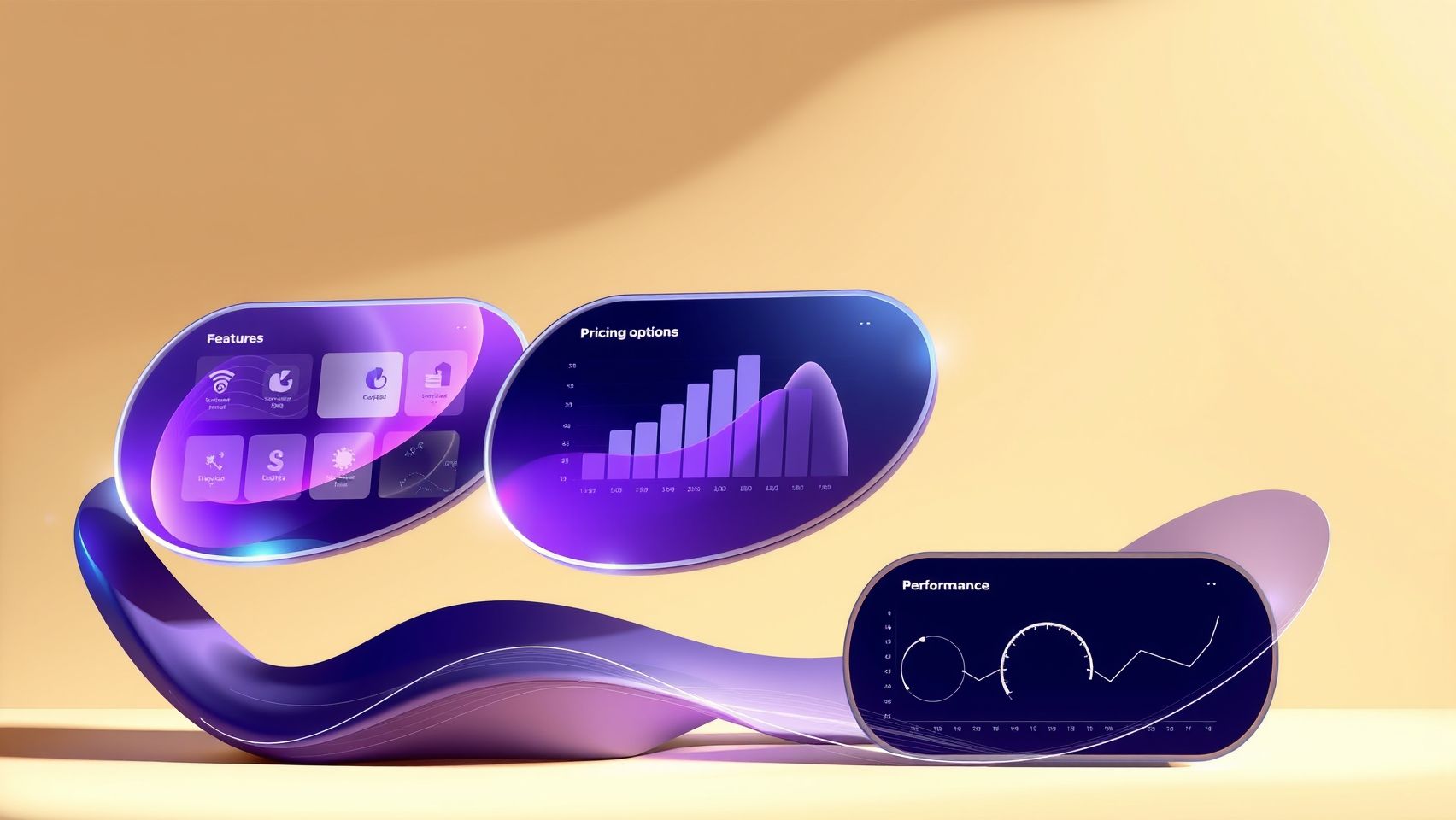
As AI-driven wallpaper design gains popularity, selecting the right tool becomes crucial for achieving high-quality results efficiently and affordably. With options like Imagen 4, DALL-E 3, Midjourney, and Canva Pro leading the market in 2025, understanding their features, costs, and performance metrics can dramatically influence your decision-making process.
Price Comparison
When evaluating costs, Imagen 4 offers high-fidelity pattern rendering at approximately $0.10 per image, making it economical for bulk projects. DALL-E 3 is slightly pricier at around $0.15 per image, but it excels in diverse motifs and creative flexibility. Midjourney operates on a subscription model at about $30/month, providing unlimited images suitable for artistic wall murals. Canva Pro is priced at $12.99/month, renowned for its user-friendly interface and sales integration features, ideal for small businesses or individuals.
Feature Comparison and Performance Metrics
Imagen 4 supports high-resolution output suitable for professional wallpaper patterns and API integration, ensuring seamless workflow automation. DALL-E 3 stands out with its diverse motif generation and prompt customization, encouraging creative experimentation. Midjourney excels in creating artistic styles and benefits from a community-centric platform that fosters collaboration. Canva Pro simplifies editing and sales processes, making it accessible for beginners and small businesses.
Performance metrics indicate that Imagen 4 delivers rapid design speeds with high user satisfaction among professional designers. DALL-E 3’s flexibility outputs varied motifs appreciated by experimental artists. Midjourney’s community engagement boosts creative output, while Canva Pro’s ease of use accelerates productivity for commercial projects. Many businesses leveraging these AI tools report up to a 25% increase in user engagement, demonstrating their ROI value.
FAQs About Using Imagen 4 for Custom Wallpaper Design

As Imagen 4 continues to revolutionize the way we create personalized home decor, many users have questions about its practical application. From technical setup to ensuring high-quality results, understanding common concerns can help you make the most of this powerful AI tool. Here’s a guide to answering some of the most frequently asked questions regarding Imagen 4 and its role in custom wallpaper design in 2025.
Which AI tool works best for detailed wallpaper patterns?
Imagen 4 is highly acclaimed for generating detailed and intricate patterns, making it ideal for custom wallpaper projects. According to recent industry evaluations, Imagen 4’s advanced image synthesis algorithms outperform other AI tools in producing high-resolution, complex patterns that can seamlessly enhance any interior style. Its capacity to interpret detailed prompts results in richly textured and visually striking designs, suited for both modern and classic decor themes.
How much does it cost to set up and run Imagen 4 API integrations?
The setup cost for integrating Imagen 4 via API is generally minimal, mostly involving initial development and configuration. The ongoing costs are based on usage volume, with the average price being around $0.10 per image generated. This pricing is typical for high-quality AI image synthesis services and offers scalability, whether creating a dozen wallpapers or hundreds for large projects. For detailed cost estimates, it’s best to review your expected volume and usage pattern to plan your budget effectively.
What are common challenges in automating wallpaper design with AI?
Automation with Imagen 4 can face challenges such as ensuring consistency across multiple designs, managing file resolutions for print, and aligning outputs with specific interior styles. Some users also encounter difficulties with fine-tuning prompts to achieve the desired patterns or textures, which requires experience and experimentation. Additionally, automating high-volume workflows demands robust infrastructure and error handling to prevent inconsistent results.
Can I customize AI outputs to match my interior style?
Absolutely! Imagen 4 allows extensive customization through detailed prompts and iterative refinement. You can specify color palettes, motifs, textures, and even emulate specific styles like minimalist, vintage, or eclectic. Fine-tuning prompts based on your interior decor ensures the generated patterns complement your space perfectly, making your wallpaper truly unique.
How do I ensure print quality meets industry standards?
To guarantee that your designs are print-ready, focus on generating images with high resolution—typically 300 DPI for wallpaper. Confirm that your output images have sufficient pixel dimensions to maintain detail when enlarged. It’s also crucial to employ color management and proofing techniques, such as soft-proofing on calibrated screens and testing print samples before large-scale production. Adhering to industry standards ensures vibrant, durable, and aesthetically pleasing wallpapers.
What security measures should I consider when using AI plugins?
Security is paramount when working with AI APIs. Best practices include managing API keys securely by avoiding hard coding and regularly rotating keys. Keep your software updated to patch vulnerabilities, and ensure your data handling complies with privacy standards. Additionally, limit access rights, monitor API usage for anomalies, and consider encrypting sensitive information to further safeguard your workflow against potential threats.
Practical Tips to Maximize Your AI Wallpaper Design Success
Harnessing the power of Imagen 4 for custom wallpaper design requires not only initial setup but ongoing strategies to stay competitive and innovative in 2025’s dynamic market. By continuously refining your prompts and design parameters based on customer feedback, you can ensure your creations resonate with your target audience. This real-time adaptation fosters customer loyalty and encourages repeat business.
Leveraging AI analytics platforms is essential for tracking user engagement and sales performance. These tools provide valuable insights into which designs are most popular, allowing you to tailor your collections effectively. For example, analyzing engagement data can reveal preferences for certain color schemes or motifs, helping to refine future prompts and improve ROI.
Ongoing Prompt Refinement and Collaboration
Regular prompt updates, informed by customer reviews and market trends, keep your wallpaper designs fresh and relevant. Collaborating with interior designers or influencers can significantly boost your visibility—showcasing your AI-generated wallpapers in real-world settings appeals to broader audiences. Industry insights suggest that influencer partnerships can increase sales conversions and brand awareness effectively.
Stay Informed and Experiment
Staying current with new AI models and emerging features is crucial. Industry forums and blogs, such as VentureBeat and specialized AI design blogs, highlight recent advances that can enhance your workflow. Experiment with different color psychology themes and motifs to diversify your collections, tapping into trending aesthetics and broadening your market influence. Additionally, implementing robust security protocols and backups ensures your workflows remain safe and efficient amidst rapid technological evolution.
Conclusion
As we’ve explored, Imagen 4 revolutionizes the way you can design and produce custom wallpapers in 2025. Its advanced technology enables you to create stunning, highly detailed, and personalized wallcoverings that elevate any space. By leveraging this powerful tool alongside complementary creative workflows, you can streamline your process, enhance your artistic expression, and set your home decor offerings apart in a competitive market.
Now is the time to take action. Start exploring Imagen 4 today with a free trial or demo and implement the step-by-step workflows outlined in this guide to bring your unique wallpaper collections to life. Don’t let hesitation hold you back — bold experimentation paved the way for the most innovative interior designs. Let your creativity soar and transform spaces with ease. Unleash your potential now and make 2025 your most successful year yet.
Your next masterpiece awaits—embrace the future of wallpaper design today!