How to Build Fundable Startup Pitch Decks with Copilot Designer
Save hours on deck creation while boosting investor impact with Copilot Designer and a curated, cross-tool workflow. Imagine opening PowerPoint and letting Copilot draft your narrative, pull fresh visuals from Canva Magic Studio, and generate data briefs that answer investors’ toughest questions—all in one smooth sequence. That’s not a dream; that’s the practical setup this article will show you how to build.
Founders today spend more time wiring content, visuals, and narratives into slides than actually validating the business. You pour data into charts, you chase consistent storytelling across sections, and you fight with formatting, versioning, and design consistency. The result? Lost momentum, inconsistent messaging, and missed fundraising windows. If you’ve ever spent a Sunday rewriting a deck to reflect a new metric or a late-stage investor’s feedback, you know the pain—and you’re not alone.
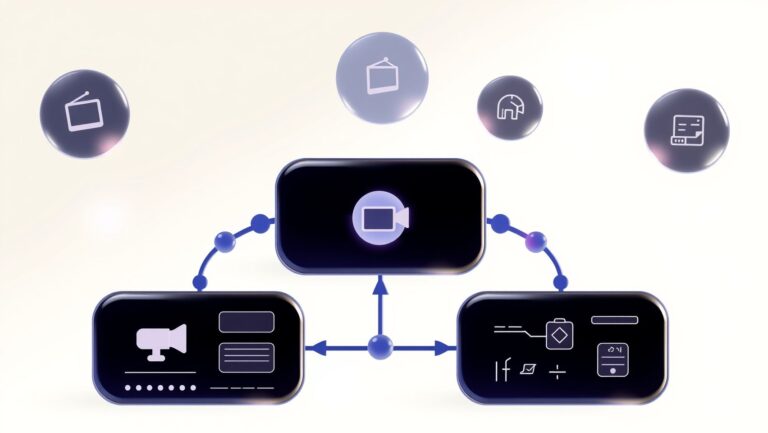
What if you could reclaim those hours and improve investor impact at the same time? The core idea is simple: leverage Copilot across Microsoft 365 with cross‑tool automation and a purpose‑built toolkit that blends AI-assisted writing, visuals, voice, and data briefs. Copilot Designer sits at the center of this approach, acting as the connective tissue that routes content through Word for copy, PowerPoint for slides, Excel for live metrics, and Outlook for stakeholder communications, all while orchestrating external tools in a coherent, repeatable workflow.
Think of it as a turnkey deck factory that scales with your company. You start with a strong narrative spine in Word, describe the problem and your solution, and let Copilot populate an initial deck outline. Then you bring in visuals from Canva Magic Studio, generate video snippets with integrations you trust, and choreograph data narratives with data briefs that are easy to explain in investor Q&A. Along the way, Notion‑style Q&A, AI voice-overs, and smart templates keep your story tight and adaptable to different investor personas. It’s not about replacing humans; it’s about amplifying your storytelling with a carefully chosen ecosystem of tools that work together, not in silos.
Evidence points to how these components fit together. Copilot isn’t just a single feature in a single app; it’s a productivity layer that spans Word, Excel, PowerPoint, and Outlook, enabling you to draft, analyze, present, and follow up with a cohesive narrative. The broader Microsoft 365 Copilot platform is designed to bring AI into the flow of work, turning prompts into working drafts, data insights, and presentation-ready assets across the suite. Microsoft 365 Copilot is the umbrella, while specific experiences like Copilot in PowerPoint guides you from outline to slides with AI-powered suggestions and content generation. These accelerations aren’t hypothetical; they’re being rolled out across real product experiences that you can leverage to shorten your deck lifecycle.
Beyond the core Copilot capabilities, you’ll work with a toolkit of best-in-class, cross‑tool components. Synthesia can produce short, investor-facing video explainers; Canva Magic Studio turns prompts into polished visuals and marketing assets; Notion Q&A or similar AI note tools help capture context and institutional knowledge; and assistants like Manus, n8n, ElevenLabs, Gamma, Suno, Shortwave, and Teal fill specific roles in a production pipeline. There are plenty of Copilot add‑ons and integrations you can lean on, but the core idea remains simple: compose once, present confidently, iterate quickly.
To ground this approach in reality, it helps to anchor the concept with some outside perspectives. For example, the standard practice around deck production and fundraising shows that pitch decks are powerful but brittle assets: a well-crafted deck can accelerate fundraising, but a poorly aligned or outdated deck can derail a conversation. A data-driven view of decks shows that investors want concrete traction signals, a clear path to expansion, and a credible, testable market narrative. A compelling deck isn’t about flashy slides alone; it’s about telling a credible story that answers a potential investor’s questions before they’re asked. That’s where an integrated Copilot‑driven workflow can make the difference, turning a narrative into a repeatable process that scales with your company and your fundraising targets.
One practical reason to trust this approach is the growing evidence on deck effectiveness. A broad survey of ideas, templates, and case studies suggests that well-structured decks with crisp data storytelling are more likely to move into deeper conversations. In fact, looking at the landscape of startup decks and fundraising metrics shows a strong relationship between well-structured storytelling and investor engagement. If you want a quick reference, a reputable compilation of pitch deck statistics highlights how many decks are created globally, how often they succeed, and what investors commonly look for in top-tier decks. Pitch Deck Statistics provides a concise snapshot of these dynamics and is a useful sanity check as you design your Copilot-driven workflow.
So what will you learn here? You’ll get a concrete, repeatable blueprint to build fundable startup pitch decks with Copilot Designer, plus practical examples of how to weave together AI writing, visuals, and data storytelling. The approach is purposely pragmatic, focusing on real tools you can actually use today within Microsoft 365, without requiring a bespoke engineering team. You’ll see how to structure a deck, how to populate sections with a confident narrative, and how to create presentation-ready assets that can be deployed across fundraising rounds and investor conversations.
In the sections that follow, you’ll find actionable steps, checklists, and recommended tool combos that reflect a forward‑leaning, portfolio‑friendly approach to deck building. You’ll learn how to frame a clear problem, present a core solution with cross‑tool automation, and assemble evidence that demonstrates traction and potential. You’ll also discover how to set expectations for what you’ll learn, and you’ll see an explicit transition from the problem/solution narrative into a practical, repeatable workflow that you can start using in days rather than weeks.
As you progress, you’ll notice that the aim isn’t to replace human judgment with AI, but to amplify your storytelling with discipline and speed. Copilot Designer helps you maintain consistency across the deck, automate boring or repetitive tasks, and unlock space to refine the narrative, test hypotheses, and tailor your pitch for different investor personas. The result is a deck that not only looks professional but also communicates a credible, data-driven, investor-ready story in a shorter time frame than traditional methods.
To give you a sense of the practical scale and ecosystem you can leverage, here are a few realities you’ll be navigating as you adopt this approach. First, Copilot’s cross‑tool capabilities aren’t limited to a single app; the broader ecosystem supports a wide range of AI-assisted actions across Word, Excel, PowerPoint, and Outlook, all orchestrated to reduce context-switching and duplication. Second, you’re not locked into a single workflow: you can choose a cross‑tool automation layer that fits your team’s preferences—whether that’s Zapier’s extensive app catalog or native Microsoft 365 automations—while still maintaining a cohesive deck narrative. Third, you’ll want to curate a toolkit that aligns with your stage, your market, and your investor targets. Visuals, video explainers, and data briefings should all reinforce the same story, not contradict it. And finally, you’ll want to measure impact—not just on time saved, but on fundraising outcomes, narrative clarity, and follow‑through with investors after the initial meeting.
For readers who want to explore the practical design and tooling landscape outside the core Microsoft stack, it’s worth noting that Canva’s AI design capabilities—via Magic Studio—offer a complementary path to high‑quality visuals you can natively integrate into PowerPoint decks. The Canva team has been expanding AI-assisted design capabilities with simple prompts that yield ready-to-use layouts, banners, and visuals that align with your narrative. See how Canva frames AI design with Magic Studio and its design tools to accelerate visual production for decks and marketing materials. Canva Magic Studio.
As you move from theory to practice, this article will walk you through a concrete, step‑by‑step approach you can adapt to your startup’s fundraising story. You’ll see how to map your deck’s sections to Copilot prompts, how to assemble a cross‑tool production pipeline, and how to validate your narrative against investor expectations. By the end, you’ll have a repeatable process that reduces friction, accelerates iteration, and helps you present a compelling, trustworthy, data‑driven story to prospective investors. And if you’re curious about the broader AI tool landscape that can support early storytelling—beyond Microsoft 365—you can explore a snapshot of AI tools and platforms that industry practitioners increasingly rely on to accelerate creative production and data storytelling. For a synthesis of AI tooling trends, you might check out synthesia’s overview of AI tools and the ways AI is reshaping content creation.
What the research data reveals about Copilot Designer for startups

In startup pitch workflows, Copilot Designer is less about a single feature and more about a repeatable, AI-assisted deck-building process. The data show Copilot weaving through drafting, data extraction, and presentation polish, turning scattered notes, metrics, and narratives into investor-ready slides with fewer handoffs. This isn’t just efficiency—it’s a way to align storytelling with live business signals in real time.
As teams experiment with cross‑tool automation and AI design tooling, the combination of Microsoft 365 integration, a vast app network, and dedicated video/voice tools reshapes how founders structure narratives, quantify ROI, and govern usage across growing teams.
Copilot Designer: cross‑app integration across Word, Excel, PowerPoint, and Outlook
Copilot for Microsoft 365 weaves through Word, Excel, PowerPoint, and Outlook, accelerating drafting, data extraction, and presentation polish. Founders can draft outlines in Word, pull metrics from Excel, assemble slides in PowerPoint, and summarize emails in Outlook—all with a single AI assistant. This reduces repetitive formatting and speeds up iteration cycles as the deck evolves alongside the business metrics.
In practice, teams report faster storyboard creation, consistent tone, and easier updating of figures as new data lands. The research indicates this integration is most valuable when the deck is data‑driven—the AI can extract numbers from a spreadsheet and drop them into slides with the right charts, then reflow content when targets shift.
Cross‑tool automation and a 7,000+ app network via Zapier
Zapier unlocks a broad automation network, bridging more than 7,000 apps with AI agents that can refresh content, move data between decks, and trigger updates in response to external signals. For startup pitches, that means a living deck that remains aligned with live metrics, customer feedback, and product milestones. The ability to push updates to a pitch deck from a CRM, a product analytics tool, or a support ticket system reduces the lag between product reality and investor-facing narrative.
Adoption signals show teams leaning on multi‑vendor stacks as they scale beyond a single platform. In practice, this means governance needs clear ownership of which data sources feed decks, how often they update, and how to audit changes to preserve trust with investors.
A broad ecosystem of AI/design tools powering video, visuals, narration, and knowledge
The ecosystem around Copilot Designer includes Synthesia, Canva Magic Studio, Notion Q&A, Manus, n8n, ElevenLabs, Gamma, Suno, Shortwave, Teal, and Copilot for PowerPoint. Synthesia alone cites 1M+ users and 230+ avatars in 140+ languages, enabling narrative-led slides with multilingual voiceovers. Canva Magic Studio expands design automation with branded assets and auto-generated visuals, while Notion Q&A supports rapid knowledge queries and content reuse during deck building.
Other tools fill specialized roles: Manus offers daily credits and a free tier; n8n provides cost-conscious automation; ElevenLabs supplies AI voices; Gamma, Suno, Shortwave, and Teal contribute AI choreography for decks, emails, and briefs. For startups, the key is stitching these tools into a cohesive deck-production pipeline where visuals, narration, and knowledge management reinforce the story rather than distract from it.
Pricing complexity, governance, privacy, and multi‑vendor considerations
The pricing landscape across Copilot, automation platforms, and design tools is inherently complex and varies by region, plan, and usage. The Microsoft 365 Copilot pricing is commonly cited around $30 per user per month for Copilot for Microsoft 365, with regional variants such as CAD $40.70 per user per month in Canada. Copilot Pro is positioned as an add‑on with higher usage limits, but exact pricing is often distributed across storefronts and contracts.
Beyond base price, governance concerns—vendor lock‑in, data privacy, and data residency—often shape SMB and enterprise decisions. With Zapier connecting thousands of apps, organizations must define which data travels to which tools, how updates are rolled out to investor decks, and who owns version histories. Independent benchmarks comparing ROI, security controls, and data‑handling practices across a multi‑vendor stack are notably absent, creating an opportunity for targeted case studies in industry verticals.
Pricing snapshot across Copilot and automation tools
ROI gaps and the need for benchmarks
Across existing articles, quantified ROI remains sparse. Founders often cite time saved and faster iteration, but precise metrics—like deck-to-close time reductions or funding outcomes—aren’t consistently reported. The research calls for side‑by‑side benchmarks that isolate Copilot Designer’s impact in startup contexts: average reduction in deck prep hours, improvements in win rates for investor meetings, and the incremental cost of multi‑vendor stacks versus centralized platforms.
Case studies that segment by industry (SaaS, hardware, biotech) and deck type (seed, Series A, partnerships) would help founders calibrate expectations and governance. Until such data exists, startups should pilot targeted experiments: run controlled pilots with and without certain AI tooling, track revision velocity, and monitor data provenance across the integration chain to preserve investor confidence.
Adoption signals: broad uptake and multi‑vendor strategies
Adoption signals point to widespread use of ChatGPT Plus/Pro and Microsoft 365 add‑ons, plus a trend toward multi‑vendor strategies in larger teams. The research shows a vibrant ecosystem where the strongest decks blend 365 Copilot capabilities with external design, video, and narration tools. For startups, budgeting and governance should center on a core Copilot layer while enabling selective experimentation with third‑party engines for visuals and voice narration, all while tracking the incremental value of each addition.
Unpacking these signals helps founders decide where to start, what to pilot first, and how to measure the payoff as the deck—and the business—grows.
Step-by-step plan to set up a Copilot-powered startup pitch deck in 60 minutes

In under an hour, you can assemble a persuasive investor pitch deck leveraging Copilot Designer and a curated set of companion tools. The goal is to move from a rough concept to a clean, investor-ready narrative with repeatable steps, measurable progress, and a governance layer that keeps visuals and data consistent across slides. By defining the target investor persona, aligning the deck to their questions, and automating data pulls, you’ll shorten iteration cycles and boost your clarity score.
This time-boxed workflow emphasizes fast drafting in Office apps, automated data pulls, multimodal media, and governance overlays. You’ll end with a reusable PowerPoint template, a draft outline with speaker notes, professional visuals, multilingual video explainers, narrated voiceovers, and a knowledge base that stays in sync with live data sources.
1. Define deck objective and investor persona
Start with a crisp objective: are you raising a seed round, a pre‑seed, or a strategic partnership? Translate that into metrics you’ll optimize for, such as time to first draft, number of revisions, and a clarity score that judges how easily a non-technical investor can grasp your story. Create a single paragraph elevator pitch and three investor personas (e.g., Seed SaaS founder, Growth-stage B2B buyer, Consumer mobile investor) with their typical questions and risk concerns.
Action steps:
- Write a one‑sentence deck objective and a one‑paragraph problem statement.
- Define persona profiles including check sizes, time horizons, and decision criteria.
- Set success metrics for this sprint: target first draft in 20 minutes, under 3 revisions, and a baseline clarity score of 75+ on a readability rubric.
Tip: document these in Notion or a shared doc so Copilot Designer can reference the goal framing as you draft.
2. Build a reusable PowerPoint slide template with Copilot
Use Copilot Pro and the Copilot for PowerPoint add‑on to accelerate slide creation and maintain brand consistency. Create a master deck with a consistent typography system (headline, subhead, body) and a grid that maps sections to investor questions: Problem, Solution, Traction, Market, Business Model, Financials, Team. This ensures each slide answers the investor’s core concerns in a predictable order.
Key setup touches:
- Establish a unified visual language: color palette, typography scale, icon set, and grid spacing.
- Lock slide layouts for Problem, Solution, Traction, Market, Business Model, Financials, and Team so Copilot can generate consistently styled slides.
- Attach a live data placeholder posture (e.g., last-quarter ARR) that updates automatically via data pulls later in the workflow.
Budget note: PowerPoint Copilot Pro (~$20/mo; add‑on ~$30/mo) is the core enabler, with the add‑on improving design automation and slide generation speed.
3. Draft outline and speaker notes in Word/PowerPoint with Copilot; pull data from Excel dashboards or CRM exports via Zapier
With the outline in place, draft speaker notes and slide copy in Copilot‑assisted Word or PowerPoint. The goal is to produce a first draft that covers the investor questions in your mapped sequence, then wire up real numbers and visuals from data sources. Zapier can connect your CRM, ERP, or analytics dashboards (Excel dashboards, Salesforce, HubSpot, and more) to feed live figures into your deck.
Implementation steps:
- Connect a data source (e.g., quarterly revenue from your CRM) to a slide placeholder using Zapier (7,000+ apps supported).
- Generate draft slide text with Copilot, then fine‑tune in PowerPoint notes to align with the spoken narrative.
- Embed a one‑paragraph data commentary per slide for quick investor briefing.
Note: Zapier pricing scales with usage (plans start with a free tier and go up to professional tiers); ensure your plan covers multi‑source data pulls for the deck sprint.
Expected speed gain per draft step is substantial when data automation is wired—you’ll avoid manual copy/paste of numbers and keep figures synchronized with the latest numbers.
4. Enhance visuals with Canva Magic Studio, generative design prompts, and multimodal media
Before polishing slides, enrich visuals with Canva Magic Studio and generative prompts to produce cohesive, on‑brand imagery and icons. Use prompt templates to generate backgrounds, illustration sets, and process diagrams that align with your slide sections. For dynamic storytelling, create short product or explainer visuals in Synthesia with avatars speaking in multiple languages—handy for investor briefings or international partners.
Practical touches:
- Overlay consistent typography and accent colors across all visuals for a cohesive look.
- Export assets as slides‑ready images or vector SVGs for crisp rendering in PowerPoint.
- Generate a 60–90 second Synthesia explainer video to support the deck’s narrative arc in multiple languages.
Synthesia pricing typically starts around the low $20s per month for Pro or higher tiers depending on features; Canva Magic Studio adds a robust design layer to maintain professional visuals without design agency costs.
5. Add narration and voiceovers with ElevenLabs or Suno
Voice narration can elevate a pitch deck from static slides to a guided story. ElevenLabs offers free starter credits and paid plans (beginning around a few dollars per month for additional credits), while Suno provides high‑quality voice synthesis options. Produce a concise narration track aligned with slide sequence to accompany the deck during investor demos.
Practical steps:
- Generate a 60–90 second voiceover for the deck’s intro and a 30–60 second closing wrap‑up.
- Ensure accessibility by providing a text transcript and optionally a synchronized audio track for autoplay in demos.
Accessibility note: include a high‑contrast version and captions for any video assets to improve audience accessibility and localization readiness.
6. Build a knowledge base for Q&A with Notion Q&A; live data links; automate updates with n8n or Zapier
Prepare a lightweight Q&A knowledge base that captures the investor questions your deck typically anticipates. Notion Q&A lets you organize FAQs, link to live data sources, and surface the right answers during investor conversations. Automate updates to Notion from your data sources using n8n or Zapier so your Q&A stays current as numbers change.
Implementation ideas:
- Create a Notion Q&A page structured around Problem, Solution, Market, Traction, and Financials.
- Link Notion items to dashboards or CRM fields (AR, ARR, CAC, LTV) so updates propagate automatically.
- Set up a lightweight trigger to refresh Notion data on a schedule or when dashboards update.
Notion pricing varies by plan and AI features; plan for a per‑user add‑on to access Q&A tooling, with scale as you grow your team.
7. Budget and tool pricing: a fast, data‑driven 60‑minute plan
In this final subsection, you’ll see a concise snapshot of the core tools and their typical price ranges used in this 60‑minute workflow. The aim is to balance capability, speed, and cost so you can scale the approach across multiple pitches.
These prices reflect a fast‑cycle setup focused on speed and governance, not wholesale platform costs. You’ll want to calibrate purchases based on your real usage and team size, then scale as you close your first investors. The goal is to land a compelling first draft quickly, then iterate with live data and multimodal media to maximize impact.
Pros and Cons of the 60‑minute Copilot‑driven plan
How to Build Fundable Startup Pitch Decks with Copilot Designer

A compelling startup pitch deck is as much about the toolkit behind the slides as the story on the page. This section lays out a concrete tooling toolkit for assembling a Microsoft‑centric or cross‑platform deck workflow, with concrete use cases, integration steps, and a pricing snapshot you can act on today. You’ll find side‑by‑side comparisons, quick wins, and a practical framework to evaluate trade‑offs without guesswork.
Whether you’re a solo founder or an SMB with a growing team, the right stack unlocks faster drafting, consistent visuals, and scalable knowledge sharing. The data below pulls from up‑to‑date pricing and feature notes across Copilot, AI design and video tools, automation platforms, and knowledge bases to help you assemble a cohesive, fundable stack without over‑engineering your process.
Tooling landscape and pricing snapshot
Pricing across the tools in this toolkit ranges from free tiers to per‑seat subscriptions, with Microsoft Copilot plans typically priced per user and add‑ons for PowerPoint. Notably, ChatGPT’s paid tiers (Plus and Pro) offer scalable AI drafting, while automation and knowledge tools such as Zapier, Notion Q&A, Manus, and n8n fill orchestration and knowledge gaps. For design and media, Canva Magic Studio, Synthesia, Gamma, Suno, and ElevenLabs round out the visual and audio production capabilities. Use this snapshot to identify where your team can consolidate or diversify tooling, depending on whether you’re prioritizing Microsoft‑native workflows or cross‑platform flexibility.
Feature‑by‑feature comparison: core capabilities
Use case scenarios for a startup deck often hinge on six core capabilities: AI drafting, data integration, visual design, video/narration, knowledge management, and collaboration. The matrix below maps a representative set of tools to those capabilities so you can quickly decide where to lean into a Microsoft‑centric stack or embrace cross‑platform collaboration. The indicators show whether a given tool is strong in a given area, helping you decide where to invest in consolidation or diversification.
Pros & cons: Microsoft‑centric vs cross‑platform workflows
Cost‑benefit breakdown framework
Translate the price snapshot into a practical cost‑benefit view with a simple framework you can apply to your deck workflow. The goal is to reveal where the stack adds value and where it costs more than it saves. Use the steps below as a repeatable method rather than a one‑off calculation.
- Capture monthly costs by tool and seat. Use the exact prices from the snapshot (for example, Copilot for Microsoft 365 at $30 per user/month, PowerPoint Pro add‑on at $20, Notion Q&A at $10/user/month, Manus from $16/month, n8n from €20/month, etc.).
- Estimate workload reductions per feature area. Typical ranges might be: AI drafting and outline generation (20–40%), visual design (30–60%), localization reach (10–30%), and investor engagement lift (5–15%), depending on your process maturity and content quality goals.
- Convert time savings to a monetary value. Use a reasonable hourly rate (e.g., founder or employee blended rate) and multiply by hours saved per pitch deck cycle.
- Compute net monthly value. Net value = (time saved in dollars) − (sum of monthly tool costs). A positive result indicates the stack is delivering net value for that workload. If negative, re‑rate priorities (e.g., shift to higher‑impact tools or adjust seat counts).
- Run scenarios. Create best/west case scenarios by adjusting time savings (e.g., 20% vs 50%) and tool usage (e.g., 2 vs 8 seats) to understand sensitivity and flex points.
- Document a decision rubric. Include caveats such as data sovereignty, security reviews, or dependency on a single vendor, and plan for periodic reassessment as products evolve.
Example framework (fill in with your numbers):
- Monthly license costs (example): Copilot 365 ($30/seat) × 5 seats = $150; PowerPoint Pro add‑on ($20) × 5 = $100; Notion Q&A ($10) × 5 = $50; Manus ($16) × 5 = $80; Zapier ($19.99) = $19.99; Synthesia Starter ($29) = $29; Canva Pro ($19.99) = $19.99; Copilot for PowerPoint ($30) × 5 = $150. Total ≈ $599.99 per month.
- Estimated time savings per deck cycle (example): AI drafting and design equals 40% faster drafting; localization reach improves by 25%; investor engagement improvements add 10% to deck effectiveness.
- Time value: multiply hours saved by your blended rate to estimate monthly savings.
- Net value: compare the time value against the $600 monthly cost. If time value > cost, the stack is contributing positive value; otherwise revisit the mix or licensing levels.
Tip: treat this as a living model. As you pilot a deck workflow with a small team, you’ll refine the real‑world time savings and tune licenses to maximize value without over‑buying seats.
Performance indicators to track
Set concrete metrics to monitor how the toolkit affects deck creation and investor response. Track these indicators at the deck level and for team throughput over time:
- Drafting speed: minutes to outline and draft a first pass; track changes per draft over cycles.
- Visual quality: consistency of brand, slide readability, and time from draft to final visuals; use a scoring rubric and designer reviews.
- Localization reach: number of markets/languages covered; speed to localized versions of the deck.
- Investor engagement improvements: time to scheduling follow‑ups, meeting acceptances, and qualitative feedback from investors on clarity and credibility.
- Workflow stability: adoption rate by team, number of automations deployed, and maintenance time per week.
In practice, you’ll establish a cadence (e.g., weekly standups and monthly reviews) to adjust tool usage, refine templates, and calibrate the integration points that most affect your ability to tell a compelling story at a moment’s notice.
Frequently Asked Questions About Microsoft Copilot Designer for startup pitch decks

Copilot Designer for startup decks sits at the intersection of native PowerPoint AI features and broader automation ecosystems. Founders want to know what to deploy first, how pricing scales, and how to keep decks fast, accurate, and investor-ready. This section answers the practical questions that come up most often during adoption and setup, with concrete numbers from current pricing and real‑world usage patterns.
Across teams, the core tradeoff is speed and cohesion versus customization and multimedia richness. A PowerPoint–only workflow is fast and familiar; a Zapier–Synthesia–Notion stack unlocks video, localization, and data syncing at the cost of extra setup and governance checks. The choices you make should align with your fundraising timeline, target investor audience, and data governance requirements.
Which tool works best for investor decks—the Microsoft Copilot in PowerPoint or cross‑platform stacks with Zapier and Synthesia?
For a lean, fast-to-market investor deck created directly in PowerPoint, Copilot in Microsoft 365 (often called Copilot in PowerPoint) shines. It can draft slides, summarize narrative arcs, and tighten language inside a familiar canvas, reducing handoffs and versioning errors. The typical price signal is around $30 per user per month for Microsoft 365 Copilot, with an additional PowerPoint Pro add‑on that commonly sits near $20 per user per month in some configurations. This keeps your core deck within a single, controllable toolchain and minimizes cross‑vendor friction.
If your deck needs multimedia, localization, or data‑driven content that lives outside PowerPoint, a cross‑platform stack is compelling. Zapier enables glue between Notion Q&A for on‑demand knowledge, Synthesia for AI video avatars, and voice/linguistic services from ElevenLabs or Suno to produce language‑specific explainers. In this setup you’ll pay roughly: Zapier Pro ≈ $19.99/mo, Synthesia Starter ≈ $29/mo, Notion Q&A ≈ $10/user/mo, plus optional AI voice/video credits. The total monthly run‑rate scales with team size and usage, but a mid‑sized startup typically lands in the low hundreds per month once you add localization and governance needs. A hybrid approach—Copilot for structure and core slides, Zapier/Synthesia for evergreen assets—often delivers the best fundraising outcomes while keeping governance manageable.
Here’s a quick view of how these options line up in practice:
How much does it cost to set up and run a Copilot‑powered deck workflow (monthly and annual)?
Startups typically incur multiple line items. A simple, fast‑to‑deploy setup might include Copilot in Microsoft 365 ($30 per user per month) plus optional PowerPoint Pro add‑on ($20 per user per month) for a fully AI‑assisted deck. A cross‑platform workflow adds Zapier Pro (~$19.99/mo), Synthesia Starter (~$29/mo), and Notion Q&A (~$10/mo per user). In practice, a small founding team (3–5 people) running a single consistent deck workflow will often land between $140 and $260 per month, excluding coinsurance for extra tools like voice/avatars or extra localization credits. Annual costs scale linearly with users and usage, typically ranging from about $1,700 to $3,000 per year for a compact, ongoing program.
As adoption grows or you add multilingual assets and more sophisticated video assets, monthly costs can rise into the low hundreds per month. Not all startups need the full cross‑platform stack at first; a staged approach—start with Copilot in PowerPoint, then layer Zapier/Synthesia as you push for larger fundraising rounds—helps keep early burn in check.
For context, many teams also evaluate additional tools in the ecosystem (Manus credits, ElevenLabs, Suno, n8n, Teal, Gamma, Shortwave, etc.) to support knowledge capture, narration, and automation. Pricing for these options varies, so plan a staged rollout aligned to your fundraising milestones and data governance posture.
What are the most common setup issues (permissions, data sources, versioning) and how to fix them quickly?
Permissions are the first bottleneck. Ensure you grant project‑level access to any data sources (CRM, Sheets, Notion, or data warehouses) used by the deck. Use service accounts for automated workflows and centralize data feeds to avoid drift. Data source versioning matters—lock critical data views and maintain a single source of truth for the deck content to prevent stale slides. If slide versions diverge, enforce a single “source deck” workflow and require PR‑style reviews before publishing updated investor materials.
Common quick fixes include: (1) centralizing data access permissions in one admin console, (2) creating a simple deck template library with versioned assets, (3) enabling audit trails for automated updates, and (4) setting up weekly checks to verify data freshness before investor outreach. If localization is enabled, maintain language packs in a centralized repository and test both source and translated slides against the investor audience before presentations.
Can Copilot Designer handle localization and multilingual investor pitches?
Yes. Microsoft supports multilingual localization workflows, and Copilot Studio provides localization management for multilingual agents. You can configure Copilot to generate content in multiple languages and tailor slides to regional investor expectations. Recent updates focus on improving Japanese, European languages, and other non‑English markets, with ongoing improvements to the translation quality and contextual accuracy. For teams aiming at global rounds, a multilingual Copilot path combined with cross‑vendor localization assets can dramatically reduce translation turnaround times while preserving slide coherence.
In practice, plan for a localization review step in your governance model and allocate a dedicated language owner to validate translations and cultural nuances before investor outreach.
What governance and privacy considerations should startups plan for when using multiple AI vendors?
Governance for multi‑vendor AI stacks includes data provenance, retention, access controls, and contract language around data usage. Build a matrix of data flows to identify where customer data, pitch content, and proprietary insights travel across tools. Establish vendor risk reviews, set data‑sharing boundaries, and define a minimum viable privacy baseline (consent, data minimization, and regional data handling). Consider a formal AI governance playbook that covers model updates, risk assessments, and incident response for data breaches or mis‑training concerns. The broader market notes a growing emphasis on AI transparency, due diligence privacy considerations, and the need for clear governance when multiple AI vendors are involved.
What metrics should I track to prove deck quality and fundraising impact?
Track both deck quality and fundraising outcomes. Key deck KPIs include clarity of problem/solution, coherence of the narrative, slide‑level readability, and the translation accuracy for multilingual pitches. Investor‑facing metrics to monitor after outreach include meeting rate, feedback quality, and engagement signals (asks for follow‑ups, scheduled calls, and response times). On fundraising impact, monitor conversion rates from decks to term sheets, time to close, and the gross amount raised per round. Research highlights emphasize that the core financial metrics and KPI alignment in your pitch directly influence fundraising probability, so tie deck content to revenue growth, CAC/LTV, and milestone attainment. Use a simple dashboard to capture changes in these metrics over multiple decks and iterations to demonstrate improvement over time.
ROI, pricing, and governance: practical cost models and multi‑vendor strategies
Copilot Designer-enabled pitch workflows promise not only faster deck production but smarter storytelling that resonates with investors. The ROI is multi‑faceted: time saved drafting slides, improved slide quality, and a higher likelihood of fundraising momentum. At the same time, cost management, data privacy, and vendor risk become real levers and constraints that can either magnify or erode value. This section provides a practical framework to estimate ROI, model costs, and govern multi‑vendor architectures in Copilot‑powered startups.
We’ll walk through a concrete cost‑benefit framework, present a pricing snapshot with core monthly costs, outline a governance checklist, and offer guidance on when to consolidate around Microsoft tools versus diversify with best‑in‑class specialists. You’ll find templates and checklists you can adapt to your stage, market, and fundraising goals.
Cost-benefit framework: outline how to calculate time saved, improved deck quality, and potential fundraising impact; include a template for calculating payback period
To quantify ROI, pair a time‑horizon view with a fundraising impact view. Start by estimating monthly time saved across all pitch decks and related collateral, assign a monetized value to that time, and subtract ongoing tool costs. Then translate deck quality gains into fundraising lift using conservative benchmarks (e.g., higher win rates with investors who request fewer revisions, faster commitments, or earlier term sheets). The payback period template below helps you convert these inputs into a decision metric you can defend with the team and investors.
Example payback calculation: assume an upfront onboarding cost of $1,000 and the monthly net benefit from the table above is about $541. The payback period would be roughly 1.85 months (before broader fundraising effects materialize). This template highlights how faster deck iteration, higher quality, and smoother fundraising conversations translate into tangible, trackable returns.
Pricing snapshot and buying guidance
Here are core monthly costs to plan around when building Copilot‑powered pitch workflows. These figures reflect the most commonly cited options in the current market data and product pages:
- PowerPoint Pro (Copilot for PowerPoint): ~$20/month
- Copilot add‑on: ~$30/month
- Notion Q&A: ~$10/user/month
- Zapier for automation: starting around $19.99/month (Professional tier common in startup teams)
- Synthesia (AI video): Starter around $29/month
- ElevenLabs (narration): Starter from ~$4–$5/month; Pro tiers higher
- Suno (narration): Pro plan around $8–$10/month
- Shortwave Personal: around $8.50/seat/month
- Teal+ (career/AI tools): around $29/month
- Gamma Plus: around $10/user/month
- n8n: around €20/month for cloud plans
These core costs provide a baseline for a lean pitch‑deck workflow. Synthesia and ElevenLabs enable compelling video and audio deliverables, while Notion Q&A and Zapier help scale knowledge capture and automation across the deck creation process. For more formal budgeting, translate each tool’s monthly cost into an annualized delta and compare against projected fundraising lift to guide vendor selection and consolidation decisions.
Governance checklist
Governance is the backbone of a reliable Copilot‑powered deck workflow. A practical checklist helps ensure data integrity, access control, and vendor resilience across the production lifecycle:
- Data sources and lineage: map where content originates (slides, notes, external data) and how it flows into Copilot prompts.
- Permissions and access controls: implement least privilege, role‑based access, and multi‑factor authentication for all workforce users and contractors.
- Retention policies: define how long outputs, prompts, and data stay in systems like Notion, Copilot, and automation platforms; enforce automatic deletion where appropriate.
- Vendor risk assessments: perform periodic cybersecurity and privacy reviews, including data transfer and storage locations, incident response, and subcontractor controls.
- Data privacy controls: apply data minimization, encryption at rest and in transit, and DLP policies; ensure PII handling aligns with regulatory expectations.
- Audit logs and change management: maintain traceability of prompts, outputs, and design changes for compliance and fundraising due diligence.
- DPAs and data flow mapping: secure data protection agreements and visualize end‑to‑end data movement between Microsoft tools, Notion, Zapier, and video/audio platforms.
Multi‑vendor strategy: when to consolidate vs diversify
Smart startups tailor their vendor mix to stage, deal velocity, and risk tolerance. Consolidation around Microsoft tools can unlock fast onboarding, seamless data flow, and predictable governance, especially for SMBs leveraging Copilot‑powered PowerPoint and Excel workstreams. Diversification becomes valuable when a startup needs best‑in‑class capabilities in video, narration, or cross‑app automation beyond what a single vendor offers.
- Consolidate when speed, predictability, and simple data governance are priorities: lean operations, smaller teams, faster procurement cycles, and strong existing Microsoft subscriptions.
- Diversify when investor storytelling benefits from specialized assets: high‑quality AI video (Synthesia), natural sounding narration (Suno or ElevenLabs), or advanced workflow automation beyond core apps (n8n, Zapier, or dedicated AI assistants).
- Contract playbook: favor DPAs, data‑flow diagrams, and exit terms; require data portability, vendor‑specific deletion windows, and clear ownership of deck assets.
- Data pipelines: standardize on a common data schema for prompts, outputs, and decks; embed governance checks at each integration point to minimize leakage and version drift.
ROI measurement pitfalls to avoid
- Overreliance on subjective impressions: pair qualitative storytelling impact with quantitative time‑savings and fundraising progress metrics.
- Lack of benchmark data: anchor expectations to known baselines for deck revision cycles, cycle time to investor outreach, and conversion rates to term sheets.
- Misalignment with fundraising outcomes: separate internal productivity gains from investor outcomes; track leading indicators (deck iterations, investor requests) and lagging outcomes (investor commitments).
- Underestimating governance overhead: quantify time spent on privacy, access management, and vendor risk reviews as part of the ROI equation.
Actionable templates and checklists empower you to operationalize the framework. Start by mapping your current deck workflow, assign time‑saved estimates for each Copilot‑driven step, and align those gains to a funding timeline. Use the payback template to defend the economics of your Copilot‑powered deck factory when presenting to co‑founders, advisors, and potential investors.
Conclusion: actionable takeaways and next steps
In this section, you’ll find a practical, time-bound playbook to start using Copilot Designer for startup pitch decks. Think of this as a 60-minute pilot that yields a ready-to-share investor deck and a repeatable workflow you can scale across rounds and teams. The data supports a multi‑tool ecosystem that emphasizes strong visuals and automated knowledge management, so you can move faster without losing consistency or control.
Recent updates to AI-assisted design and multimedia tooling show that you can combine multimodal capabilities with automation to produce compelling decks in days rather than weeks. The goal here is to establish a lean toolkit, clear governance, and measurable signals so you can iterate confidently and keep fundraising momentum going as your narrative evolves.
60-minute pilot: start-to-finish workflow
Kick off with a focused scope: one investor deck, core metrics, and a single storytelling arc. Create a Notion workspace to house the narrative, data, and source material, then generate a first draft in PowerPoint using Copilot Pro to scaffold slides and populate visuals. Add a video asset through a single tool like Synthesia to translate key slides into a short explainer, and wire the data sources into Notion using a lightweight automation layer (Zapier or n8n) to refresh numbers and visuals. This cadence mirrors growing demand for rapid, slide-ready storytelling across startup fundraising rounds.
As you work, capture decisions, assumptions, and data sources in Notion Q&A to reinforce knowledge retention and speed up onboarding for new teammates. You’ll iterate quickly: update the deck with fresh metrics, fine-tune visuals, and validate the narrative with investor feedback, then lock in the final version in under an hour for the first run and under 30 minutes for subsequent decks.
Establish a minimal toolkit and pricing snapshot
Keep the setup simple: PowerPoint with Copilot Pro, one video tool (Synthesia or Suno), and a single automation layer (Zapier or n8n). This aligns with pricing data and documented capabilities, giving you a practical cost floor and a clear path to scale. PowerPoint Pro is commonly cited around $20 per month, Copilot Pro around $20 per user/month, Notion prices (Plus) around $10 per user/month with team options around $20, and automation layers like Zapier or n8n offering entry plans suitable for startups. Synthesia pricing starts around $18 per month for basic video creation, making video assets affordable for early pitches.
Note: pricing reflects commonly cited starting points and may vary by plan, region, and usage. The table serves as a practical snapshot for planning the minimal pilot budget.
Plan governance early: data access, retention, and vendor risk
Document a simple policy at the outset: limit data access to a core running group, set retention to a short, practical window (for example, 90 days for draft decks and 180 days for source materials), and establish vendor risk checks (data handling, encryption, and exit terms). This keeps your pilot nimble while reducing exposure as you lock in the workflow and begin repeated use across decks.
Track KPIs: draft time, visuals, and investor engagement
Define three core KPIs to gauge progress: draft time per deck (minutes from kickoff to first draft), a visual quality score (based on consistency, typography, color usage, and media alignment), and investor engagement metrics after the deck is used (e.g., meeting rate, follow-up requests, and requested clarifications). Use automation to log these metrics as you iterate so you can compare decks over time and demonstrate tangible improvements to your team and investors.
Next steps: scale beyond the pilot
With the pilot proven, expand by adding one more investor deck type (e.g., series A or a product update deck) and extend the Notion knowledge base with templates, slide packs, and a living FAQ. Return to the governance policy to refine access controls and retention. Normalize the workflow across teammates by creating repeatable templates, standardized prompts for Copilot Pro, and a lightweight review cadence to sustain momentum as you raise again or onboard new founders into the process.
What to watch next
Keep an eye on updates to Copilot Studio and multimodal features, as they can broaden the set of assets you can generate directly from prompts. As tools evolve, you’ll want to revisit pricing, integration capabilities, and data-handling practices to keep the deck-creation engine fast, reliable, and affordable.
Conclusion

Copilot Designer, when paired with a thoughtful tech stack and a tight, time-boxed playbook, can dramatically shorten deck production while improving storytelling and fundraising outcomes. Start small, pilot with a single deck, and scale the toolkit across teams with governance baked in. Data shows investors care about clarity and impact: roughly 89% of venture capitalists expect a stellar pitch deck, and many spend only about 2 minutes to review it, so concise, substantiated storytelling matters.
- Speed enables more cycles and faster feedback.
- Clarity improves investor understanding and confidence.
- Governance makes scaling safe and repeatable.
Kick off a 60‑minute pilot: build a live investor slide, wire in one data source, add a video explainer, and lock down a basic governance policy. Track drafting time, deck clarity, and investor feedback to justify scaling. This focused experiment sets you up to extend the toolkit with confidence and measurable ROI.
Embrace this pragmatic approach now, and you’ll turn early traction into scalable fundraising momentum.