Automate Graduation Ceremonies with Google Flow
Imagine a graduation planning process where invitations, schedules, speaker bios, and ceremony programs update themselves as dates shift and new speakers confirm—without hours of manual coordination.
The pain is real: invitations, schedules, and programs spiral when a speaker reschedules or a date shifts. With Google Flow, you can orchestrate data updates behind the scenes, so changes propagate automatically across invites, seating charts, and bios using Google Cloud Workflows, and align operations with event planning best practices.
What you’ll gain is a practical, data‑backed path to automation: a clear ROI mindset, concrete steps, templates, and the confidence to push a few automations this season. Tap into the Ultimate Guide to Automating Google Calendar Events for calendar‑centric templates, and explore AI helpers with Dialogflow documentation to handle RSVP conversations and speaker inquiries.
Read on to turn planning chaos into predictable progress and start measuring the impact on time, accuracy, and attendee experience.
Automate Graduation Ceremonies with Google Flow

Graduation ceremonies juggle rosters, scheduling, invitations, program notes, and speaker scripts. Automating these tasks with Google Flow, paired with a bridge like n8n to connect data sources and automate steps, can dramatically reduce manual work and errors. This section translates AI and automation research into concrete actions for school event planning, showing how to turn data into reliable, repeatable ceremony workflows.
Across proven studies, cross-tool orchestration, large-context models, and lifecycle cost thinking consistently drive efficiency. The practical takeaway is to pair Flow with a lightweight automation bridge, use models with expansive context windows for bios and program notes, and define governance, ROI, and update pipelines upfront. The data below reflects current tooling footprints, adoption trends, and deployment considerations that matter for school-level ceremony automation.
Cross-tool orchestration matters
Cross-tool orchestration matters because ceremonies span multiple data domains: student rosters, staff and speaker schedules, invitation lists, venue logistics, and program notes. A practical approach is to use Google Flow as the orchestration layer while bridging to n8n or a similar tool to pull from roster systems, calendar feeds, and email/web invite channels. This creates a cohesive automation stack where data sources feed actions (e.g., trigger invitations when a roster is updated, generate seating charts from the roster, and push schedule changes to the livestream team).
Research highlights the value of a bridge tool in maintaining data integrity, reducing re-entry, and enabling rapid changes across the ceremony lifecycle. For example, studies note that n8n is a recommended cross-tool integration option for AI-enhanced automation, offering open access to connect a wide range of data sources and automation steps without locking you into a single vendor. In practice, you’d connect the roster system, the scheduling engine, RSVP feeds, and notification channels, then encode governance checks at each step to minimize miscommunication.
- Free community edition; optional paid cloud
- Broad connectors for roster, calendar, RSVP, and email systems
- Good foundation for building Flow-to-automation pipelines
- Free tier with 2,000 completions
- Templates speed automation setup across data sources
- Helpful for rapid prototyping of ceremony workflows
- Free tier includes 150K daily and 1M monthly tokens
- Strong for large, multi-session ceremonies with heavy scripting needs
- Good fit for generate-and-distribute tasks (program notes, invites)
- Trial-based access to AI-assisted content creation
- Useful for drafting speaker notes and bios during planning phases
- Evaluate fit before broader deployment
Leverage large context capabilities
Research shows that big-context models unlock sophisticated, language-tailored materials. For graduation programs, bios, program notes, and speaker scripts can be generated with context windows that support long, nuanced content. Gemini 2.5, for example, supports up to 1,000,000-token contexts, enabling per-school customization without fragmenting the narrative. When language or school-specific tailoring is needed, context windows in the 128K–256K range are practical for maintaining coherence across lengthy programs and multilingual materials.
Applying large-context capabilities means you can assemble bios from a single data feed and generate polished speaker scripts that reflect the school’s voice. It also makes it feasible to craft diverse program notes for different audiences—parents, students, staff, and donors—while preserving consistent formatting and terminology. In practice, build a structured data model for bios, speaker profiles, and program notes, then run tailored prompts that pull from that data store to produce sector-specific versions on demand.
Cost and performance dynamics
Research reports substantial efficiency gains when deploying optimized models and cost-aware pipelines. DeepSeek-R1, for instance, delivers about 30x cost efficiency and roughly 5x faster performance in evaluation scenarios, which translates into lower lifecycle costs for repetitive ceremony tasks such as bios generation, program notes, and speaker scripts. When you couple this with a bridge like n8n, the incremental cost of orchestration stays modest compared to the savings from automation of manual steps.
Additionally, the market shows meaningful cost dynamics through tiered offerings. Cursor’s free tier with 2,000 completions provides a no-cost trial path for small planning teams. Bolt.new’s free tier includes 150K daily and 1M monthly tokens, which can cover substantial planning activities during peak season. JetBrains AI Assistant offers a 7-day free trial to test end-to-end content workflows. Together, these options enable a staged pilot to quantify time savings and content quality improvements without upfront expenditure.
Governance and privacy
Governance and privacy considerations shape deployment choices. SOC 2, HIPAA, and GDPR are common lenses through which schools evaluate data handling, access control, and auditability. For highly sensitive data (e.g., student identifiers, personal bios), an on-prem or tightly controlled hosted deployment may be preferable. The decision between on-prem and cloud-hosted deployments should align with data governance needs, establish clear data residency requirements, and define access controls for staff and contractors involved in ceremony planning.
Industry trends underscore licensing trade-offs and the importance of a lifecycle approach to procurement. The North American LLM market is projected to reach around 105.5B by 2030, underscoring ongoing investment in enterprise-grade governance features, model handoff capabilities, and data governance tooling. A structured approach—documented policies, an explicit data lifecycle plan, and periodic reviews—helps ensure compliance while preserving agility in planning cycles.
Adoption, ROI metrics, and ongoing governance
Adoption benchmarks show that about 70% of large organizations are piloting or evaluating LLMs, which informs how you design pilots for school ceremonies. Use pilots to measure adoption velocity, time savings, and content quality as primary ROI metrics. Time saved in drafting bios, generating program notes, and synchronizing invites compounds when you standardize prompts, version control artifacts, and update pipelines. A lifecycle-cost framework helps you quantify total cost of ownership from pilot to scaled deployment.
Prepare for evolving contexts and multi-language use with a structured data model and clear update pipelines. Keep a living catalog of prompts, data schemas, and language variants, and ensure updates propagate consistently across Google Flow, the bridge layer, and downstream outputs. This approach guards against drift in bios and scripts while supporting multilingual audiences as schools expand international programs or outreach during ceremonies.
In practice, a disciplined mix of cross-tool orchestration, expansive context capabilities, cost-conscious deployment, and governance-aligned pipelines turns ceremony automation from a novelty into a reliable, scalable workflow. The data-backed approach here provides concrete steps to implement, measure, and iterate on automation for school graduation ceremonies.
Section data and practical takeaways
From the research: cross-tools like n8n are recommended for integrating AI into automation stacks; Cursor offers a free tier with 2,000 completions; Bolt.new provides 150K daily and 1M monthly tokens on its free tier; JetBrains AI Assistant offers a 7-day free trial; Qwen reports 90,000+ enterprise adopters; Gemini 2.5 supports up to 1,000,000-token contexts; DeepSeek-R1 delivers ~30x cost efficiency and ~5x faster performance; the North American LLM market is projected to reach 105.5B by 2030; governance/licensing trade-offs and on-prem vs cloud deployment are common considerations; there is an opportunity to quantify ROI with lifecycle-cost frameworks and 1M+ token contexts plus 128K–256K windows to tailor guidance by use case.
Automate Graduation Ceremonies with Google Flow

The following section lays out a practical, end-to-end setup for a graduation automation workflow using Google Flow across Sheets, Forms, Docs, Slides, Gmail, Calendar, and Sites. It walks through a data-first approach, templates, AI-assisted content, invitations, live updates, and governance considerations. This is Part 1 of the guide, focused on defining the data model and laying the groundwork for automated orchestration that scales across ceremonies, languages, and roles.
By starting with a concrete data model and reusable templates, districts and schools can reduce manual coordination, improve accuracy, and create a single source of truth for rosters, speakers, programs, seating, and localization needs. The section also highlights practical tooling choices and budgeting signals drawn from current market data and best practices for retrieval-augmented generation (RAG) and cross-tool orchestration.
Step 1 – Define the ceremony workflow and data model
Begin by outlining the end-to-end ceremony lifecycle and translating it into a structured data model you can implement in Google Sheets and Forms. The core entities below capture the practical needs of a school graduation ceremony:
- Roster – a student-facing table with fields like student_id, name, pronouns, degree/major, honors, and role (graduate, marshal, emcee, musician, volunteer).
- Student roles – a defined set of roles with associated permissions (e.g., marshal approvals, speaker slots, seating allocations).
- Speaker list – a separate sheet or tab with speaker_name, title, talk_summary, duration, and preferred language.
- Program sections – blocks such as processional, speeches, awards, and recessional, each with a scheduled start time and a duration estimate.
- Seating constraints – rules for sections, accessibility seating, family groupings, and language distribution by seating area.
- Language/localization needs – per-person language preferences, translation notes, and required bios in multiple languages.
With these data points, you create a robust schema that supports both day-of orchestration and pre-event communications. Plan to store core records in Google Sheets, while gathering new entries through Forms. For each data element, define ownership, update cadence, and access controls so that the right people can edit or approve content without compromising privacy.
Step 2 – Create data sources and templates
Translate the data model into practical inputs and reusable outputs. This step focuses on creating input channels and the templates that the workflow will populate automatically:
- Input channels – use Google Forms to capture roster updates, speaker confirmations, and localization needs. Link the form responses to a living Google Sheet so new entries flow into the workflow with minimal manual handling.
- Program template – build a Google Docs or Slides template that can be auto-populated with bios, agenda items, and speaker notes. Use placeholders for titles, times, and language-specific bios so that a single template can serve multiple languages.
- Invitations and calendar templates – create Gmail templates for invitations and calendar invites, plus a standard Calendar event template that includes location, accessibility notes, and a refreshable agenda.
- Localization readiness – maintain a language map and separate bios per language. Prepare a bilingual or multilingual bio library that can be retrieved and assembled via the AI layer for display in programs and invites.
Establish a central “source of truth” document or sheet that feeds all downstream artifacts. When Templates are designed to accept dynamic fields (name, role, language, event time, venue), you unlock consistent, scalable output across Docs, Slides, and emails. Recent Workspace updates emphasize deeper automation and AI-assisted composition, which supports this templated, data-driven approach.
Step 3 – Set up content generation with AI (RAG) and long-context planning
Leverage retrieval-augmented generation (RAG) to draft bios, program notes, and localized content that respects long context and multi-language requirements. The approach below outlines a practical setup:
- RAG model selection – pair a capable language model with a retrieval index built from bios, program notes, and localization assets stored in Drive. This enables up-to-date bios that pull from your source material rather than statically copying text.
- Long context planning – plan for 128K–256K token context windows when generating multi-language bios and extended program notes. This window is essential for preserving coherence when assembling bios in multiple languages and stitching them into a single program output.
- Context management and indexing – index the bios, speaker notes, and program summaries in a dedicated retrieval store. Use embeddings to surface relevant content for each language and role in real time during generation.
- Template-driven generation – feed the AI with placeholders (e.g., bios_en, bios_es, bios_fr) and have the system substitute into the program, invitations, and slides with language-appropriate content.
In practice, you’ll combine a robust data layer with AI-assisted content to ensure bios and program notes are accurate, engaging, and linguistically appropriate. Industry guidance on RAG emphasizes effective indexing, retrieval quality, and window utilization to maintain context across long documents, which aligns with the needs of multi-language programs and long bios.
Step 4 – Automate invitations and reminders (calendar, email, SMS)
kalendar-driven invitations and timely reminders are the backbone of a smooth ceremony. Build flows that push calendar invites, email confirmations, and SMS reminders where allowed, using a cross-tool orchestration layer to connect data sources to outreach:
- Trigger points – roster finalization, speaker confirmations, language selections, and venue changes should all trigger updates to invites and the public schedule.
- Cross-tool orchestration – use n8n to orchestrate flows across Sheets, Docs, Slides, Gmail, Calendar, and any SMS gateway. n8n’s free tier and related automation considerations can scale for many schools, especially when starting with a single ceremony and modest participation.
- Invites – generate Gmail invitations with attendee-specific bios and language preferences, attach a link to the public schedule, and embed calendar files that auto-fill the event details.
- Reminders – schedule reminders at key milestones (two weeks before, one week before, two days before, and day-of). If SMS is permitted, send concise reminders about arrival windows and crowd management notes.
Budgeting for AI-assisted content and automation is part of the planning. For example, several AI-building platforms offer generous free tiers to experiment, including tokens per day and per month. When you plan a scale-up, you can consider options like Bolt.new (free tier provides up to 150,000 tokens per day and 1 million tokens per month) or Cursor AI (free completions around 2,000), depending on your usage pattern. A few vendors also offer short-term trials (e.g., JetBrains AI Assistant with a 7-day free trial) to experiment with content generation within IDEs or templates. These signals help teams forecast costs and ROI as they expand automation beyond a single ceremony.
Step 5 – Schedule generation and live program publishing
Automatic day-of schedules and live program updates are the heart of a polished ceremony. Use Sheets as the primary scheduling engine and publish the live program to a public-facing page (Google Sites) that auto-updates from the data layer:
- Auto-schedule – generate the final attendee sequence, speaker order, and agenda times based on the roster, speaker confirmations, and program sections. Resolve seating constraints during the generation phase to ensure accessibility and language distribution are honored.
- Public publishing – publish a public Google Sites page or a dedicated site section that pulls content from Sheets (program, bios, and translations). Automate updates so the public schedule reflects late changes in real time or near real time.
- Live updates – provide a real-time or near-real-time feed of changes to the site and to on-site displays, if available. This reduces confusion and helps families track the program as it evolves.
Workflow tooling has matured to support this kind of live publishing. Google Sites, alongside Drive-based templates and API-driven updates, makes it feasible to deliver a single source of truth that is visible to families and staff alike. Recent updates emphasize deeper automation for workflow content creation and site updates, which aligns with the needs of a dynamic graduation program.
Step 6 – Data governance, privacy guardrails, and deployment options
Guardrails are essential when handling student data and event details. Define access controls, retention policies, and audit capabilities to protect privacy while enabling smooth operations:
- Access controls – implement Google Workspace permissions to restrict who can view or edit rosters, bios, and the program. Use role-based access for administrators, teachers, and volunteers, with stricter controls for sensitive fields.
- Data retention – establish retention rules for raw data, templates, and transcripts of communications. Consider archiving completed ceremonies while preserving templates for future reuse.
- Audit logs – enable audit trails for changes to rosters, speaker slots, and program content to support accountability and issue resolution.
- On-prem vs cloud – balance convenience and control. Cloud-first deployments (Workspace-based) are easier to scale and update, while on-prem options provide more granular governance controls at the cost of maintenance complexity.
Governing frameworks like SOC 2, GDPR, and HIPAA are frequently discussed in contemporary data governance literature. When evaluating deployment choices, schools should consider data localization, access controls, and vendor assurances. You’ll also want to weigh adoption signals and ROI, where literature frequently highlights around 70% adoption as a reasonable target for automation programs to realize measurable impact over time. This framing helps stakeholders evaluate the value of investing in Google Flow-based orchestration for graduation ceremonies.
These values reflect current industry conditions and vendor offerings, and they guide budgeting for automation and AI content generation. When you scale beyond a single ceremony, revisit licensing, tier limits, and whether on-prem orchestration or hosted services best fit your governance and reliability requirements.
By anchoring the workflow in a solid data model, templated outputs, AI-assisted content, and a disciplined approach to invitations and live publishing, schools can achieve a repeatable, scalable solution for graduation ceremonies. This Part 1 guide equips you with the data structures, templates, and governance guardrails you need to move confidently into execution in Part 2, where we’ll detail end-to-end wiring, sample flows, and concrete automation blueprints you can adapt to your district’s needs.
Frequently Asked Questions About Google Flow for Graduation Ceremonies

Automation with Google Flow can coordinate invitations, sequencing, check-in, seating, program delivery, and live event updates for a smoother graduation day. The right mix of AI tools and automation platforms helps minimize manual tasks, reduce errors, and keep everyone informed in real time. When choosing tools, think about token handling, governance, and how easily you can adapt on the fly during a ceremony week or day.
Across the field, no single tool dominates. For large, context-heavy content you may need Gemini 2.5, while Bolt.new offers cost-effective token-based generation. Many districts also leverage n8n as a bridge to orchestrate cross-tool automation, with JetBrains AI Assistant offering hands-on trials for teams already using JetBrains ecosystems. These insights come from current tool capabilities and pricing structures that educators can map to their deployment, governance, and budgeting needs.
Which tool works best for school ceremony automation (and why)?
There isn’t a one-size-fits-all answer. For heavy, context-rich tasks (like processing large guest rosters or speech generation with extensive bios), Gemini 2.5 shines with very large contexts. If you’re prioritizing cost efficiency and token-based workflows, Bolt.new provides large token quotas on a free tier, which helps keep pilot projects affordable. For quick prototyping and tight IDE integration, JetBrains AI Assistant offers a capable trial path, especially if your team already relies on JetBrains tooling. And across the board, you can stitch these together with n8n as a bridge to coordinate flows and data sources while maintaining governance boundaries. A practical approach is to start with a small pilot (see the pilot recommendation below) and scale as confidence, data quality, and privacy controls prove solid.
How much does it cost to set up and maintain a Flow-based automation for a ceremony?
Costs vary by tool and tier. A sensible starting point is to leverage free tiers for pilots—Cursor offers 2,000 completions, Bolt.new provides large token quotas on a free tier, and JetBrains AI Assistant offers a trial. For larger, ongoing deployments, consider Gemini 2.5 Pro capabilities or Gemini API with a testing-free tier to validate requirements before a paid plan. Build your budget around data sources, number of ceremony roles, and the scale of live updates you’ll need; a phased rollout tends to help control spend while ensuring reliability.
Plan the setup around governance and licensing early, because common issues include licensing choices and deployment trade-offs between on-premise and cloud models. A governance-first approach—defining who can modify flows, what data is stored, and how logs are handled—reduces surprises during peak ceremony moments.
Actionable step: start with a small pilot (5–10 staff roles) to validate data quality, response times, and error handling before rolling out to all participants. This aligns with research guidance and helps you calibrate cost, performance, and control over sensitive data.
What are the most common setup issues, and how do you avoid them?
Expect licensing questions, deployment trade-offs, and governance gaps to appear early. Avoid them by mapping responsibilities upfront, choosing a deployment model that fits your district’s privacy posture, and establishing a clear data flow diagram. Use a bridge like n8n to enable cross-tool automation while keeping a single source of truth for roster data, check-in statuses, and seating plans. Regularly test with a small, representative set of roles and update flows as needs shift during the planning window.
How can you ensure privacy and regulatory compliance when handling student data?
Privacy should map to SOC 2, HIPAA, and GDPR expectations, with governance-friendly deployment as a priority. Minimize data collected, enforce strict access controls, encrypt sensitive information at rest and in transit, and keep detailed audit logs. Use data-handling policies that specify who can view schedules, seating, and bios, and ensure all tools used in the Flow have appropriate compliance stamps or certifications. When possible, store only aggregated or de-identified data for automation steps and provide end-user notices about how data will be used during the ceremony workflow.
What performance gains and ROI can you realistically expect?
Frame ROI with reference points like 30x efficiency and 5x faster performance when handling routine tasks such as updates, notifications, and roster checks. Real-world gains come from reducing repetitive work, cutting last-minute human corrections, and delivering a smoother guest experience. ROI increases with disciplined governance, pilot-driven rollouts, and the ability to re-use flows for multiple ceremonies across the year. In practice, you should expect meaningful time savings during planning cycles and a more reliable on-day experience as you scale.
How do you handle last-minute changes or substitutions on the day of the ceremony?
Prepare for changes with live-updating flows and a robust data backbone. Use a single source of truth for rosters and seating, and enable real-time feeds to adjust check-in, seating assignments, and program handouts. A small delay in propagation can ripple, so implement short, deterministic update windows and fail-safes for redeploying substitutions. Training staff to trigger a quick fallback flow in case of data mismatch helps keep the ceremony moving smoothly even when last-minute edits occur.
- Pilot first with 5–10 staff roles to validate flows and data quality.
- Bridge tools with n8n to coordinate across Gemini, Bolt.new, Cursor, and JetBrains AI Assistant.
- Adopt a governance-first deployment to align with SOC 2, HIPAA, and GDPR expectations.
- Plan for live updates and a single source of truth to minimize disruption on event day.
A concrete blueprint: sample Google Flow setup for a 600-student graduation
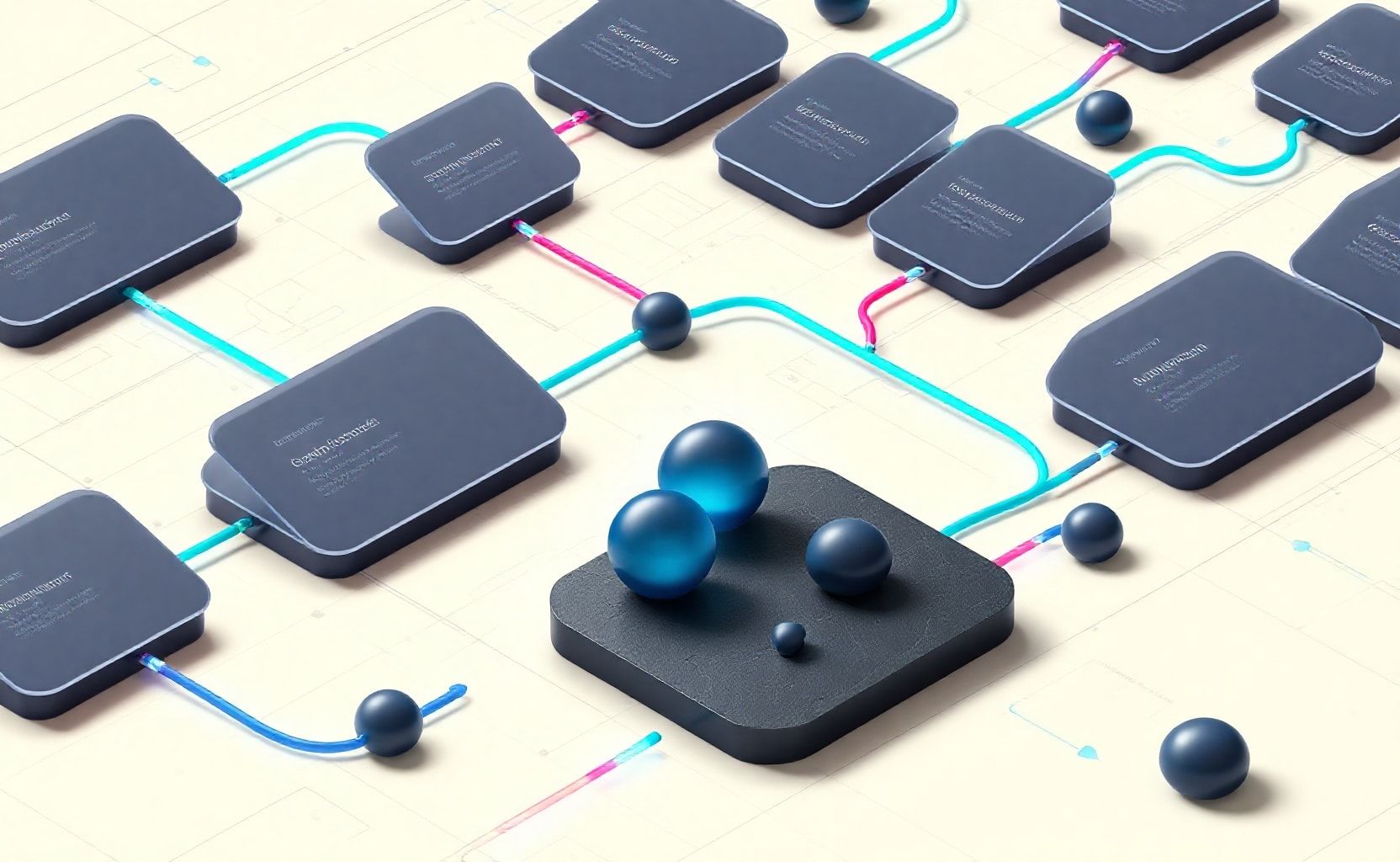
Organizing a graduation for 600 students involves coordinating rosters, bios, program notes, seating, invitations, and calendars across multiple tools. This end-to-end blueprint shows a practical setup using Google Sheets for data foundations, a dedicated Google Sites landing page, and a Flow that triggers updates from milestone dates. It’s designed to be adaptable, resilient, and auditable, so you can evolve it as needs shift from year to year while keeping families and staff in the loop.
Adoption trends underscore the usefulness of this approach: hundreds of millions of students and educators rely on Google Workspace for Education, and many districts lean on Sheets as a core planning asset. As you scale automation, you can tap into increasingly capable AI-assisted content generation while staying within a governance framework that supports retention, access control, and privacy considerations. The result is a ceremony that runs closer to a well-rehearsed production than a last-minute scramble, with time saved and content quality improved through templated, reviewable outputs.
Data foundation: roster, roles, and language preferences; program and seating rules; and a landing page
Establish a two-sheet data model and a public-facing page to anchor the workflow. Use Google Sheets as your single source of truth for participant data, staff roles, and language preferences, and a separate sheet for program sections and seating rules. Then build a Google Sites landing page that pulls together the roster, the program timeline, and RSVP information in a centralized, accessible place.
- Roster sheet: fields include Student ID, Full Name, Pronouns, Language Preference, Role (Student, Speaker, Staff), Graduation Status, and Contact Info. This sheet becomes the source for bios, speaker scripts, and seating assignment logic.
- Roles and language sheet: map each person’s role to responsibilities (e.g., speaker, reader, slide operator) and capture preferred language for captions or translations. Link this to the roster via Student ID to avoid duplication.
- Program & seating sheet: define ceremony segments (processional, speaker slots, awards, diplomas), seating blocks, and any rules (e.g., family seating zones, accessibility accommodations). Include a column that encodes seating rules so the Flow can apply them automatically.
- Landing page: a Google Sites page that presents a public program, RSVP form links, and a quick guide for families. Include a transparent data privacy note and a contact section for updates.
Pro tips backed by current trends: Sheets remains a dominant planning tool in education, with many districts relying on it for roster maintenance and operational coordination. This data foundation also helps with localization and accessibility, since you can maintain language preferences and translated bios in the same ecosystem. In practice, many districts report substantial time savings when moving planning data out of scattered spreadsheets into a centralized data model like this.
Flow architecture: trigger milestones, generate bios, publish programs, invite, and calendar sync
Design the Flow to respond to milestone-driven triggers, generate bios and program notes with AI, publish outputs to Docs/Slides, send invitations via Gmail, and keep calendars synchronized for all participants and staff. The key is to separate data sources from the actions that transform and distribute them, so you can troubleshoot at the data layer without cracking open code every time.
- Milestone triggers: schedule-based triggers align to rehearsal dates, dress rehearsal windows, and ceremony day milestones. When a milestone is reached, the Flow pulls updated roster data and language preferences from Sheets and advances the next phase (bios generation, program assembly, or invitation distribution).
- AI bios and scripts: feed bios and speaker scripts to an AI model with ample context and template routing. Route outputs to configurable templates for bios, speaker notes, and program entries, then queue for human review.
- Template publishing: publish bios as a Google Doc, program notes as slides, and speaker bios on the program page. This keeps the live program consistent with the approved content and reduces last-minute edits.
- Invitations and calendars: use Gmail to send invites with calendar invites attached, and push event details to Google Calendar for all staff and participants. Ensure calendar shares respect RBAC policies and privacy settings.
- Cross-tool automation: plan for cross-tool automation with n8n or similar workflow orchestrators to coordinate actions across Sheets, Sites, Docs, Slides, Gmail, and Calendar in a single flow.
Current market data supports the value of cloud-based orchestration for education: the education software market has grown substantially in recent years, with cloud platforms expanding capabilities and integration options that reduce manual handoffs and errors. This makes the architecture described here both practical today and scalable for larger cohorts in future years.
AI content pipeline: large-context models, templates, and review before publishing
Leverage a large-context AI model to generate bios, speaker introductions, and program notes, then route outputs into curated templates before publishing. Use a staged review process to maintain accuracy and tone, with human sign-off prior to publication in Docs/Slides or on the Sites page. Keep templates centralized and versioned so every year’s ceremony uses a consistent format with the ability to tailor language for accessibility and localization.
- Context windows and prompts: use models with ample context windows to include bios, speaker slots, and audience accessibility needs in a single pass, reducing repetition and gaps in content coverage.
- Template routing: implement a consistent set of templates for bios, speaker scripts, and program entries. The AI outputs map to these templates to ensure uniform style and accuracy across sections.
- Review workflow: create a simple review queue where school staff can approve bios and scripts, request edits, or escalate content that requires translation or accessibility adjustments before publishing.
Industry insights show AI-assisted content pipelines can improve consistency and quality at scale, while maintaining control through human-in-the-loop review. In this context, a pipeline that pairs data-driven bios with templated, reviewed content helps ensure each speaker’s introduction and each program note is accurate and respectful of language preferences.
Distribution and updates: automated invites, reminders, and live updates; accessibility and localization
With the flow in place, families and staff receive timely updates, invitations, and reminders. The system should support ongoing live updates during the ceremony window, such as last-minute schedule changes or accessibility accommodations, while preserving a clear audit trail. Localization should be baked in to handle language preferences and captions or translations where needed.
- Automated invitations: Gmail-based invites go out automatically when Rosters are updated or when milestones trigger, reducing manual outreach and ensuring everyone receives the right information at the right time.
- Reminders: build reminder cadences for rehearsal participation, gown check, photography times, and ceremony day arrivals. Ensure reminders respect notification settings and accessibility needs.
- Live updates: a lightweight update channel on the landing page or via email can surface day-of changes, such as seat reassignments or schedule shifts, without causing confusion.
- Accessibility and localization: include captions or translated bios and program notes where relevant; ensure color contrast and keyboard navigation are considered for all published materials.
Governance and security: access, retention, audit logs, and deployment choices
Protect data with role-based access control (RBAC), retention policies, and audit logging. Evaluate data governance requirements such as SOC 2, HIPAA (where applicable in education contexts), and GDPR, and decide between on-prem and cloud deployments based on risk tolerance and regulatory needs. The decision often balances cost, control, and data sovereignty against the agility and scalability of cloud-hosted services.
- RBAC: restrict who can view roster data, edit program sheets, or publish pages. Use separate permissions for staff, teachers, and administrators, and apply the principle of least privilege.
- Retention and audit: implement data retention policies for rosters and program notes and enable audit logs to track changes, access, and publishing events.
- On-prem vs cloud: consider whether sensitive data (e.g., personal identifiers) require on-prem storage, or if cloud-based workflows with proper encryption and controls suffice. If cloud is chosen, select a provider with strong governance certifications and data residency options.
Testing and rollout: pilot, data validation, timing, and scaling
Run a pilot with a small group (e.g., a single department or a subset of graduates) to surface data mismatches, timing errors, and gaps in language coverage. Use the pilot to refine data validation rules, verify AI outputs against templates, and confirm that invites, reminders, and calendar updates flow correctly. Scale the solution after a successful pilot, while maintaining the ability to roll back or adjust single components if needed.
- Data mismatches: test with edge cases—absent language preferences, missing roles, or seats with special accessibility needs—to ensure the system handles gaps gracefully.
- Timing validation: verify that milestone-triggered actions align with rehearsal and ceremony timelines, and adjust the cadence as needed.
- Language coverage: validate translations and captions for key sections (bios, speaker notes, program entries) to ensure accessibility goals are met.
Implementation cues drawn from research and cross-tool considerations
To maximize efficiency and reliability, plan for cross-tool automation with platforms like n8n, which can help orchestrate tasks across Sheets, Sites, Docs, Slides, Gmail, and Calendar. Leverage expansive AI contexts (1M+ token contexts and 128K–256K windows) to generate content that remains coherent across long bios and speaker scripts. When budgeting, reference cost-conscious patterns observed in DeepSeek-R1-style analyses for cloud vs on-prem deployments. Governance considerations—such as SOC 2, HIPAA, and GDPR—shape where data is stored and how it’s accessed. Finally, the broader market backdrop shows substantial ROI potential in time savings and content quality improvements as schools adopt more cloud-based automation for ceremonies.
Feature availability and tool comparison
Notes: The table above illustrates a high-level feature comparison between a cloud-based education suite and an on-prem alternative. Real-world decisions depend on data governance needs, residency requirements, and budget constraints. Data from the broader education technology landscape indicates strong growth and continued reliance on cloud-native workflows, with reliability and accessibility as ongoing priorities for school districts.
Closing: near-term actions and quick wins
If you’re ready to start, here are quick actions to kick off the project: seed the roster in Sheets, draft a simple program sheet, build a minimal 1-page landing site, and configure a milestone-triggered flow that generates bios and initiates invitations. Plan a pilot with a small cohort, then expand to the full 600-student class in a phased rollout. The result is a repeatable, auditable blueprint that saves time, improves content quality, and keeps families and staff informed throughout the graduation process.
Conclusion

We’ve outlined a practical blueprint to automate graduation ceremonies with Google Flow, AI-assisted bios, and cross-tool automation. From roster intake to post-ceremony archiving, the end-to-end workflow reduces manual work while improving governance across events.
- End-to-end automation guides the entire day, lowering errors and freeing staff.
- Data governance keeps privacy and accuracy intact as data moves between sheets and flows.
- Scalable AI-generated bios and invitations maintain coherence for multiple ceremonies.
Now is the moment to pilot, learn, and iterate. Start a small pilot: map your ceremony workflow, set up a Google Flow that pulls from a Google Sheet, generate bios with an AI model that supports large contexts, and test invitation flows. Measure time saved and content accuracy over a 2–3 week window, then scale gradually.
Adopt this blueprint for a dependable, auditable day that can be repeated year after year. Let this pilot finish with a clear plan and a scalable workflow you can carry forward for every graduating class.